2 Description
20/ 106 e’line User Manual | © Eversys AG
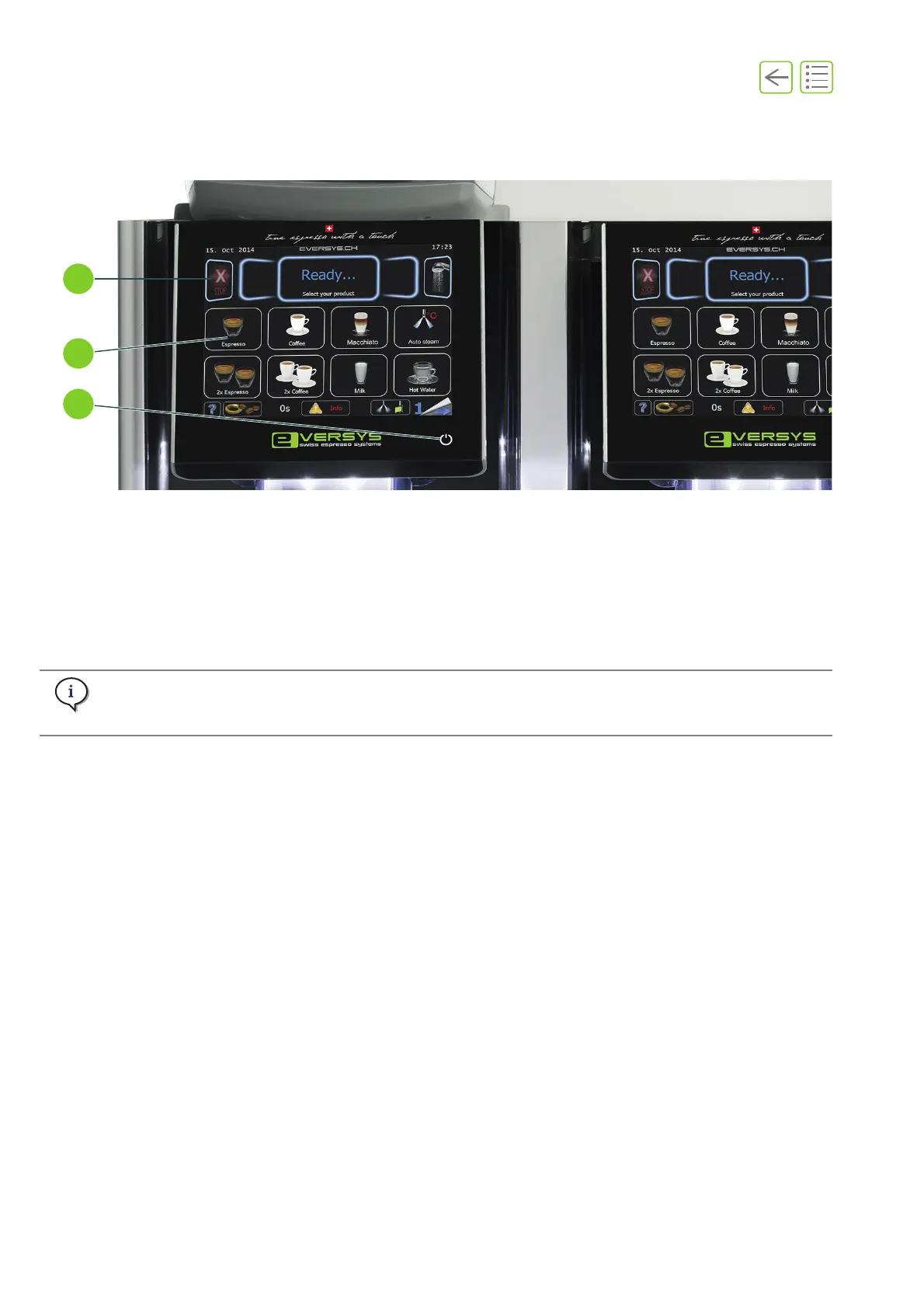
2.2.3 Touch screen
The touch screen and the graphical user interface are touch-sensitive.
For more information on the graphical user interface, refer to “3 Software” on page 29.
Fig. 2-3 e’4m illustrated
(1) Standby button (See “5.2.1” on page 38)
(2) Graphical user interface (products and
display layout may vary according to
settings and e’line model) (See “6” on
page 49)
(3) Emergency stop touch button
(See “5.7” on page 44)
Display of the stop and standby buttons depend on the settings.
See chapter “11.4 User rights” on page 98.











 To Next Page