3
2
1
1
2
3
2
1
3
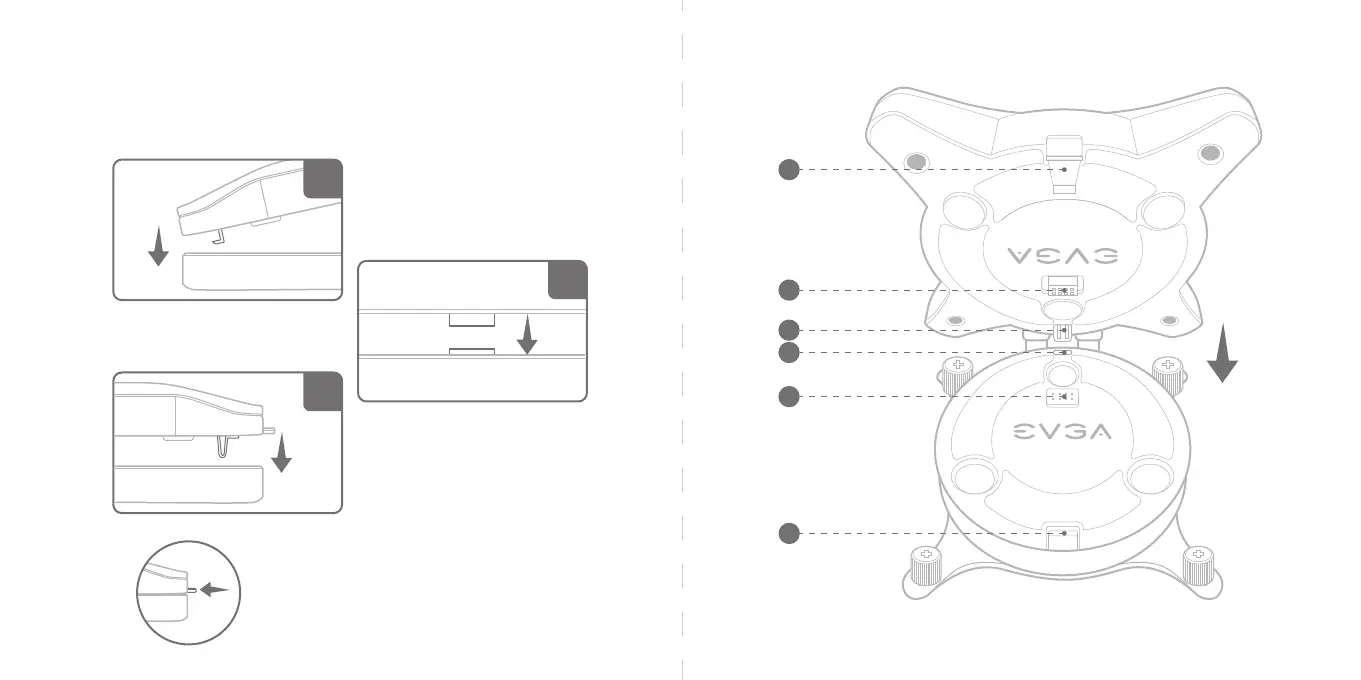
Push the latch to remove the LCD Cap
*Warning – Removing the LCD Cap while your system
is running may cause irrepairable CLCx damage.
Install LCD Cap
Align the hooked tab and 3 raised circles below LCD cap to the 3 indents on top of the pump, then gently
press down the LCD cap into the latch to secure it.
Install the USB cable to enable PWM-tuning via CLCx software. Connect the cable from the LCD Panel to the
USB 2.0 front panel header on your motherboard.



 To Next Page