EVGA X299 DARK (151-SX-E299)
- 45 -
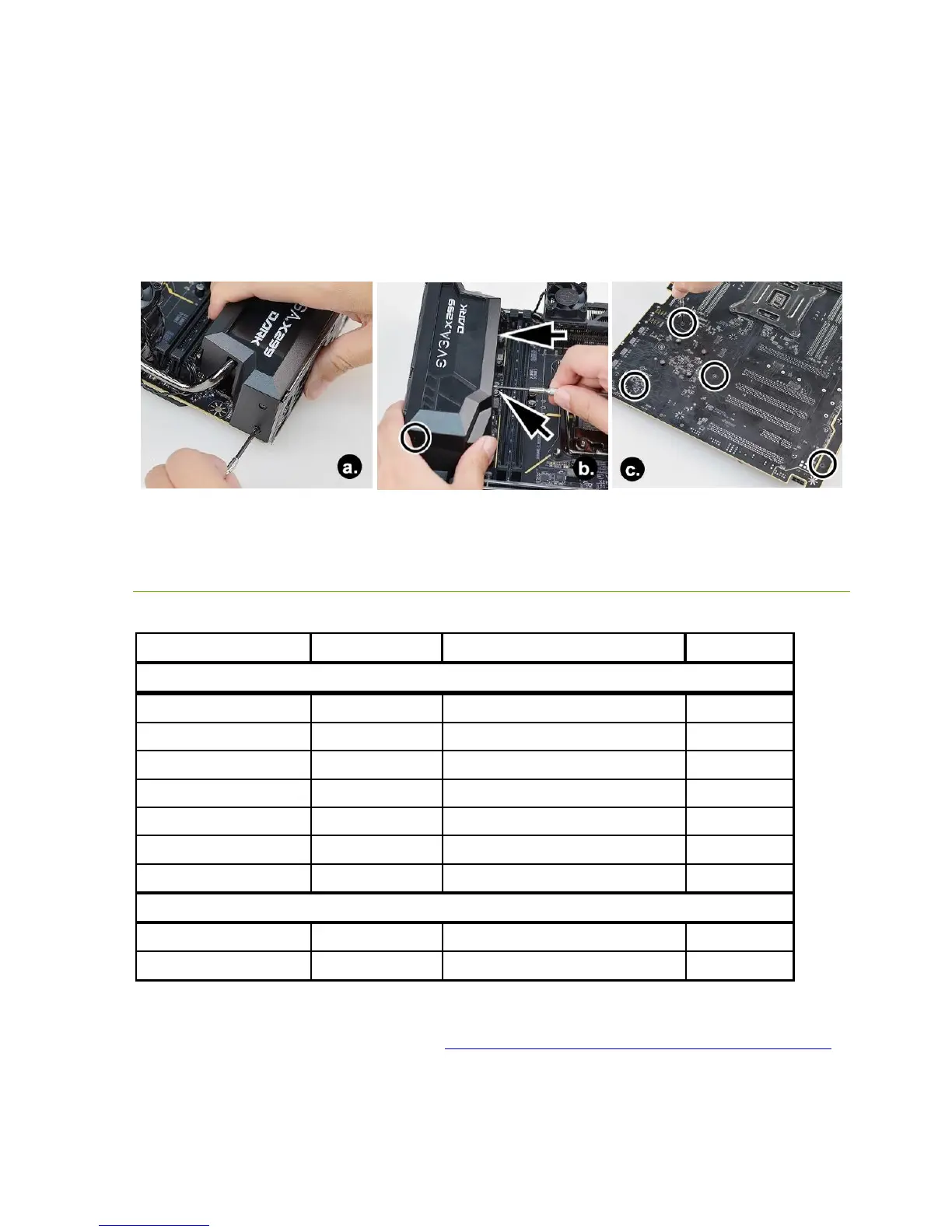
7. (a) Hold the I/O shield in place, then refasten the screws you removed in Step 3. (b)
Refasten the screws you removed in Step 2. (c) Finally, refasten the screws you removed
in Step 1.
8. Installation is complete. Carefully turn the motherboard over and resume
installation of components, or install the motherboard into your chassis.
Tested CPU and Memory
This list of tested CPUs is accurate as of the time of print. For a full list of tested CPUs
and Memory, including updates, go to https://www.evga.com/support/motherboard/
and select the EVGA X299 Dark from the list.
CPU Core Count Frequency PCI-E Lanes
Core™ i9-7980XE 18 Cores + HT 2.6 GHz / 4.4 GHz (Boost) 44
Core™ i9-7960X 16 Cores + HT 2.8 GHz / 4.4 GHz (Boost) 44
Core™ i9-7940X 14 Cores + HT 3.1 GHz / 4.4 GHz (Boost) 44
Core™ i9-7920X 12 Cores + HT 2.9 GHz / 4.4 GHz (Boost) 44
Core™ i9-7900X 10 Cores + HT 3.3 GHz / 4.5 GHz (Boost) 44
Core™ i7-7820X 8 Cores + HT 3.6 GHz / 4.5 GHz (Boost) 28
Core™ i7-7800X 6 Cores + HT 3.5 GHz / 4.0 GHz (Boost) 28
Core™ i7-7740X 4 Cores + HT 4.3 GHz / 4.5 GHz (Boost) 16
Core™ i5-7640X 4 Cores 4.0 GHz / 4.2 GHz (Boost) 16



 To Next Page