EVGA Z490 DARK (131-CL-E499)
- 142 -
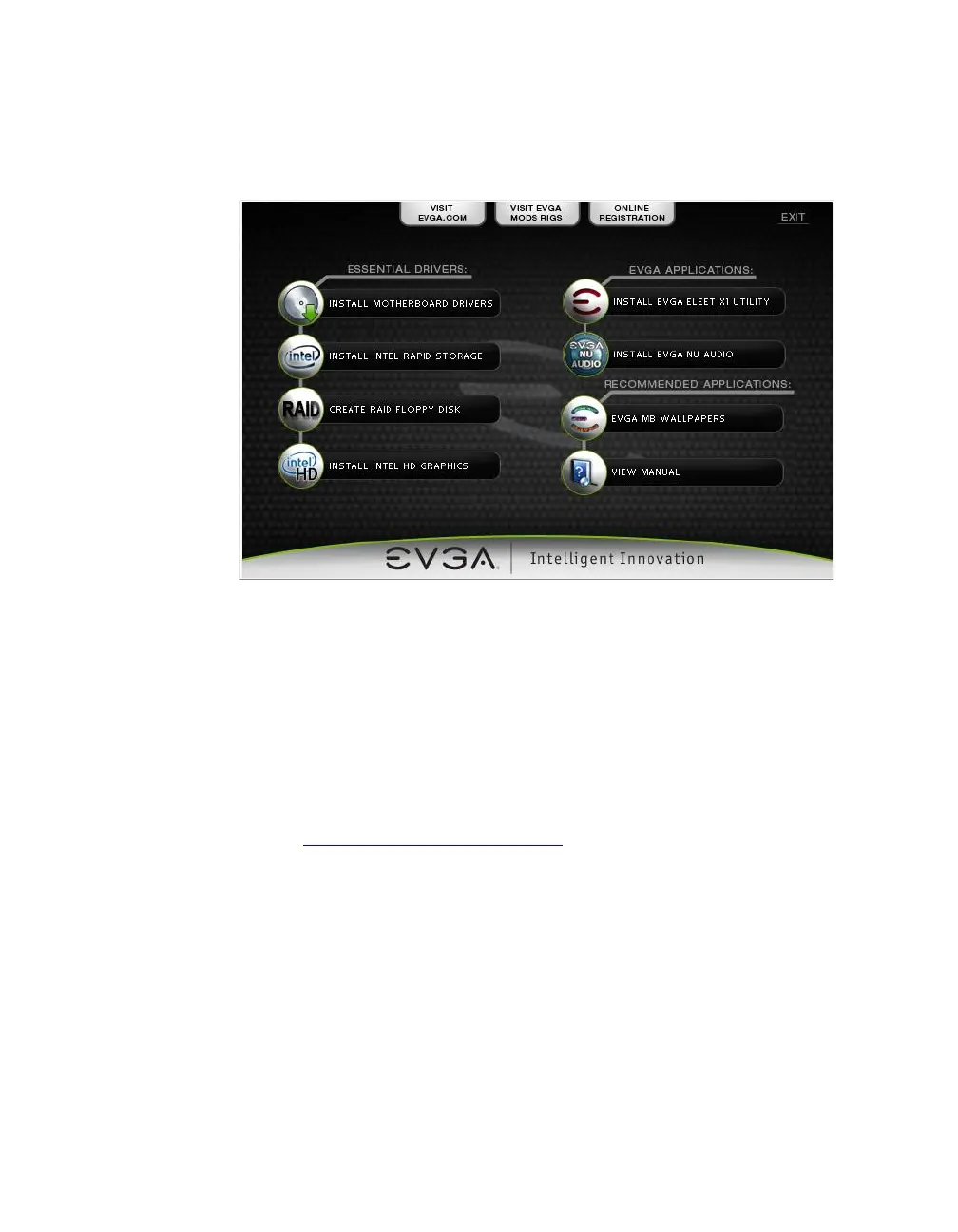
3. The EVGA Driver Utility Screen will appear.
4. EVGA strongly recommends that you install the motherboard drivers first,
followed by rebooting your system. Next, install the Intel Rapid Storage
drivers and reboot.
5. The Driver Utility Screen also contains helpful links to give you more
information about your new EVGA motherboard and additional resources
to get started. The Z490 DARK manual is available through this utility and
within the USB flash drive directly.
6. EVGA also encourages you to register your motherboard online by either
clicking on the Online Registration button in the Driver Utility, or by
visiting https://www.evga.com/register.



 To Next Page