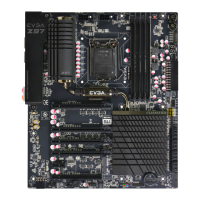
EVGA Z490 DARK (131-CL-E499)
- 2 -
Table of Contents
Before You Begin… ................................................................................................. - 4 -
Parts NOT in the Kit ............................................................................................................. - 5 -
Intentions of the Kit .............................................................................................................. - 5 -
Motherboard Specifications .................................................................................................. - 6 -
Unpacking and Parts Descriptions ........................................................................................ - 8 -
EVGA Z490 DARK Motherboard LED reference ............................................................. - 10 -
EVGA Z490 DARK Motherboard Component Legend ..................................................... - 14 -
PCIe Slot Breakdown ......................................................................................................... - 27 -
M.2 / U.2 Slot Breakdown .................................................................................................. - 27 -
Preparing the Motherboard ................................................................................................. - 28 -
Installing the CPU .............................................................................................................. - 28 -
Installing the CPU Cooling Device .................................................................................... - 29 -
Installing System Memory .................................................................................................. - 30 -
Installing the I/O Shield ...................................................................................................... - 31 -
Installing the Motherboard...................................................................................... - 31 -
Securing the Motherboard into a System Case ................................................................... - 32 -
Installing M.2 devices ............................................................................................. - 34 -
Installing M.2 Key-M Socket 3 Devices ............................................................................ - 34 -
Tested CPU and Memory ................................................................................................... - 37 -
Tested Memory ................................................................................................................... - 37 -
Tested M.2 Key-M ............................................................................................................. - 38 -
Tested U.2........................................................................................................................... - 39 -
Tested M.2 Key-E............................................................................................................... - 39 -
Connecting Cables .............................................................................................................. - 40 -
Onboard Buttons ................................................................................................................. - 52 -



 To Next Page