EVGA Z490 DARK (131-CL-E499)
- 92 -
Fan Header DC and PWM setup
The Z490 DARK supports both 4-pin PWM fans and 3-pin DC fans. The motherboard
uses eight 4-pin fan headers, including 2x CPU FAN (PWM), a CHA FAN (PWM/DC),
a PWR FAN (PWM/DC), 3x SYS FAN (PWM/DC), and an AUX FAN (PWM/DC).
You can locate each header on Pages 14 and 15, component numbers 3 and 4.
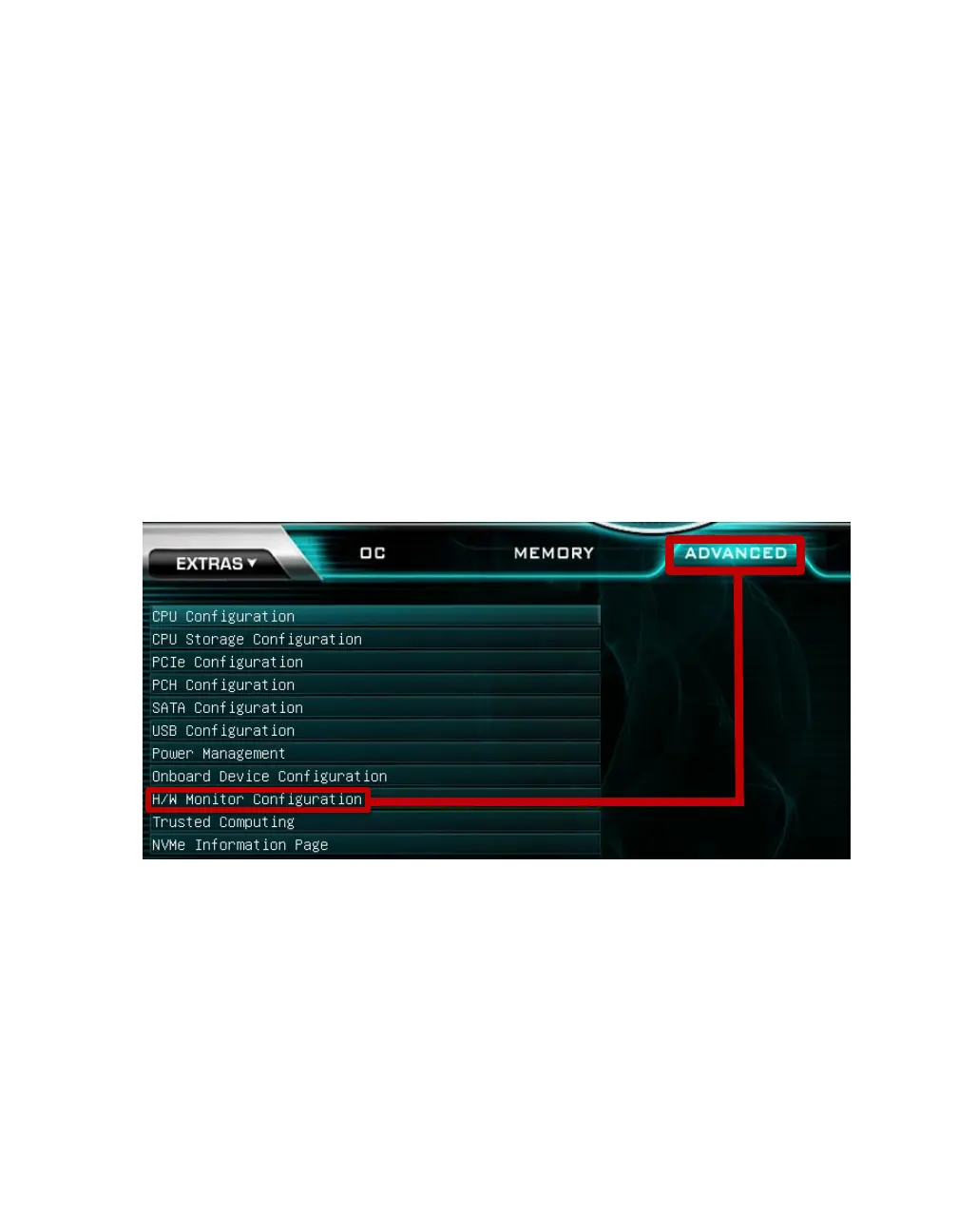
To configure the fans in BIOS/UEFI, first power on / restart the PC. During the
POST sequence, press [Delete] repeatedly to get into the BIOS. Once in the BIOS, use
the arrow keys or your mouse to navigate, whichever is easier, and make your way to the
“Advanced” – “H/W Monitor Configuration” menu.



 To Next Page