EVGA Z490 DARK (131-CL-E499)
- 35 -
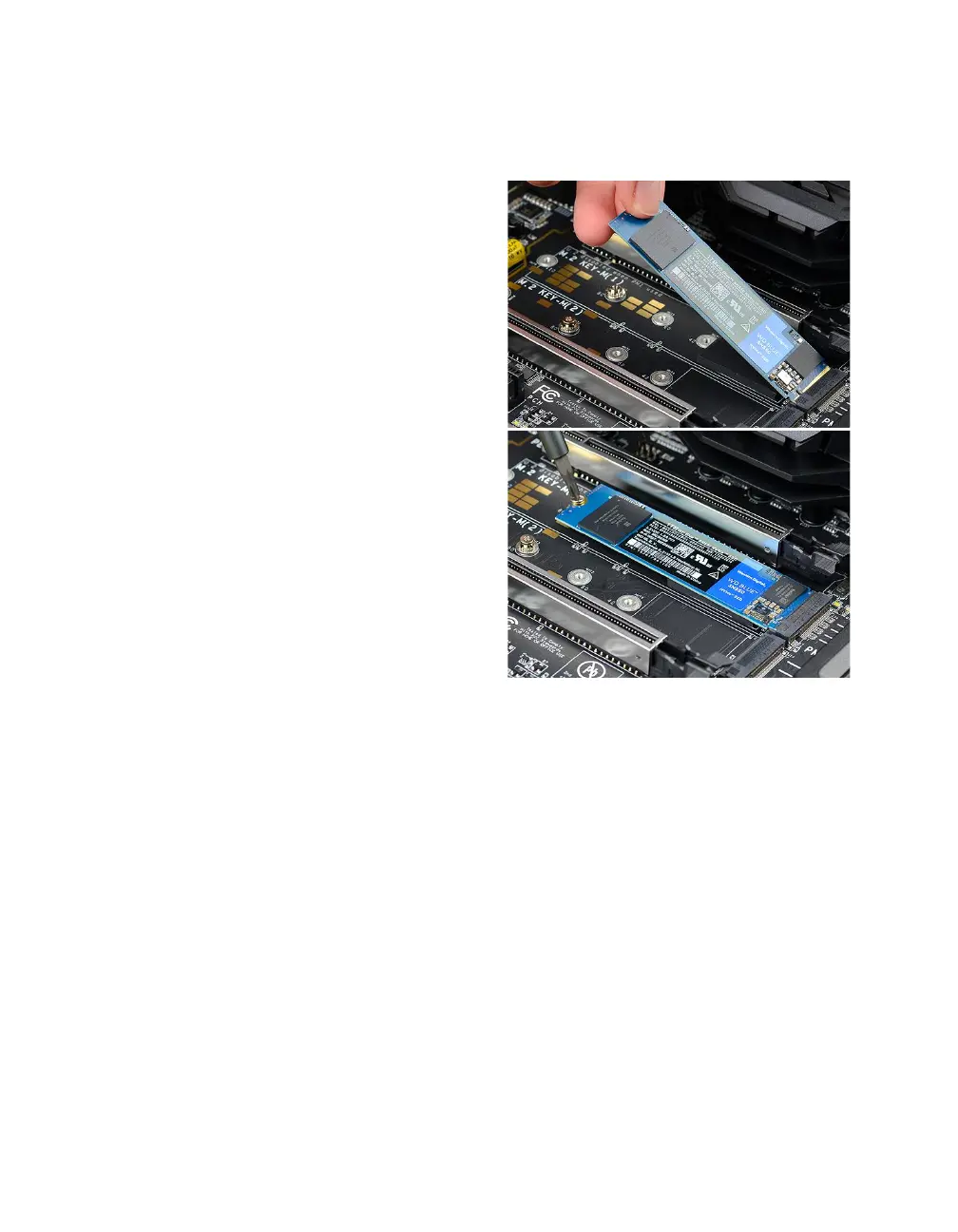
3. Insert the M.2 device at a slight angle of
approximately 45 degrees to the board.
This will allow the contacts (colloquially
called “Gold Fingers”) to seat completely
into the slot. If the device is fully seated,
you should be able to release it and the
device will rest at an angle of about 30
degrees on its own, as shown in the picture
to the right.
4. Gently push the M.2 device down on
the raised end. There will be some tension
- this is normal - then use the screw you
removed in Step 1 to secure the device.
At right, you can see that the contacts will
be nearly invisible when the device is
properly seated and the copper mounting
semi-circle is partially visible around the
screw.



 To Next Page