EVGA Z490 DARK (131-CL-E499)
- 99 -
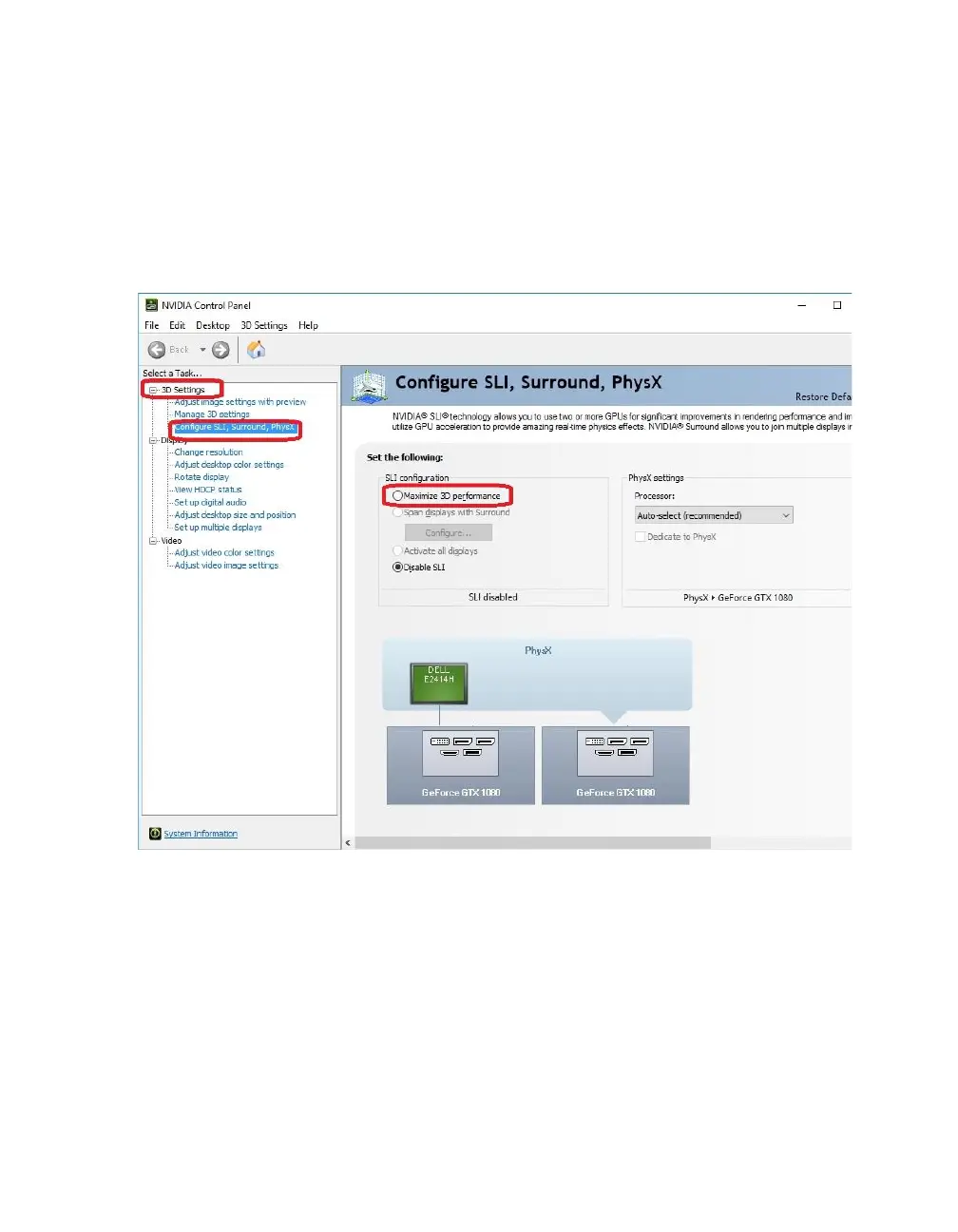
Next, select “Configure SLI, Surround, PhysX” under the “3D Settings” menu. The
default is “Disable SLI.”
To enable SLI, click “Maximize 3D Performance,” circled in red below, and click
“Apply” at the bottom.
Before you can enable SLI, the NCP may ask you to close certain programs and
processes; you cannot continue further until this is completed.
At this point the display may go black a few times, or appear to change resolution and
back again quickly; this is normal. Also, if you are running a G-Sync monitor, it will turn
off and on during this process, which may take between 5-20 seconds, approximately.



 To Next Page