BASIC TROUBLESHOOTING
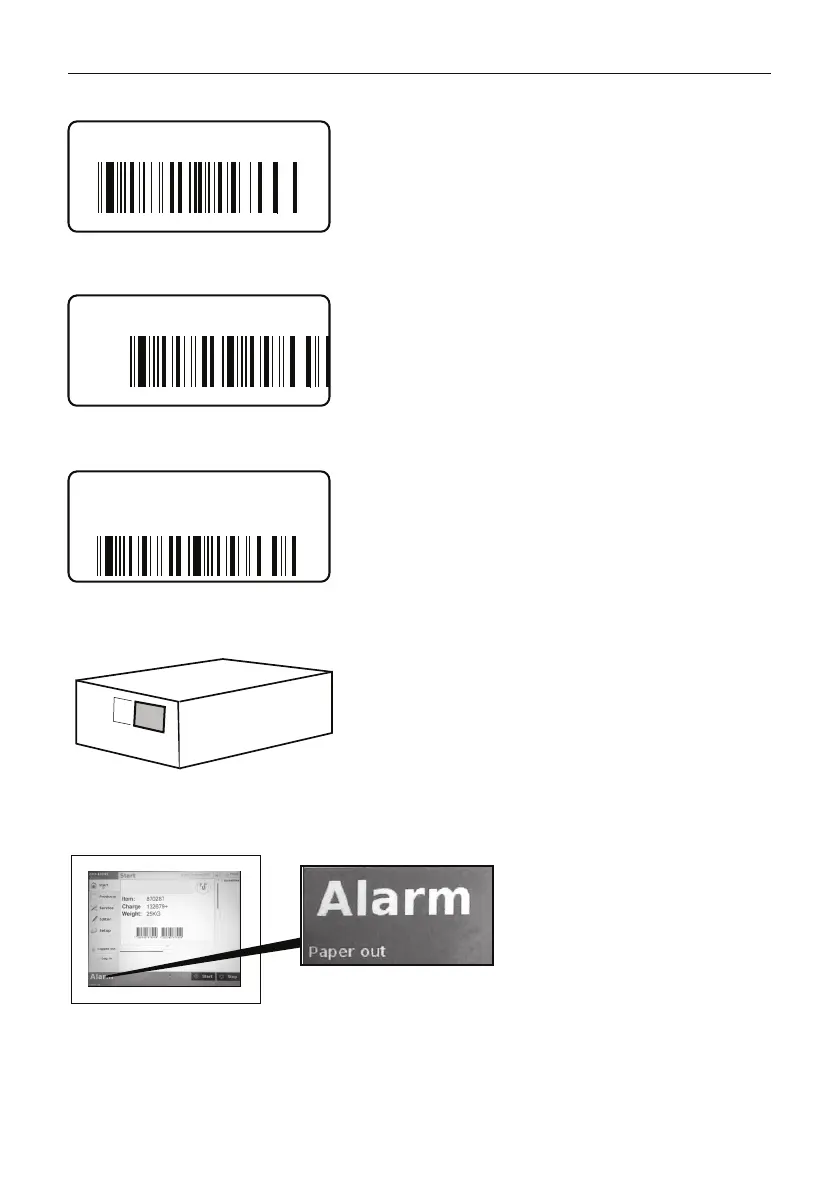
TEXT ON LABEL BAD QUALITY / STRIPES
TEXT WRONG POSITIONED ON LABEL (WIDTH)
TEXT WRONG POSITIONED ON LABEL (LENGTH)
LABEL NOT APPLIED OR MISPOSITIONED ON PRODUCT/BOX
PAPER OUT ALARM AFTER PAPER CHANGE
1 2 3 4 5 6
1 2 3 4 5 6
- Verify that correct label quality and correct ribbon quality
is used.
- Clean the print head (see CLEANING)
If not OK, contact your service engineer to replace the print
head
- Check that correct label size is used for the print job
selected
- Verify the paper position (see LABEL WIDTH SETTING)
If not OK, contact your service engineer to correct the
layout
- Check that correct label size is used for the print job
selected
- Clean the print roll, print head and print head profile
(see CLEANING)
If not OK, contact your service engineer to replace the
print roll
1 2 3 4 5 6
- Clean the print roll, print head and print head profile (see
CLEANING)
- If using round or non rectangular labels, verify the paper
guide position (see LABEL WIDTH SETTING)
If not OK, contact your service engineer
?
- Clean print roll, print head and print
head profile (see CLEANING)
If not OK, contact your service
engineer to replace the print roll
IN CASE OF OTHER FAULTS
1. Do not turn off the machine
2. Note the time and symptom
3. Contact your service engineer
Artikel Nr. P101174-000



 To Previous Page