32
Maintaining the lamination module
NOTE
Recommended cleaning cycle: every 5 routine cleaning cycles.
Servicing accessory: special adhesive cleaning card.
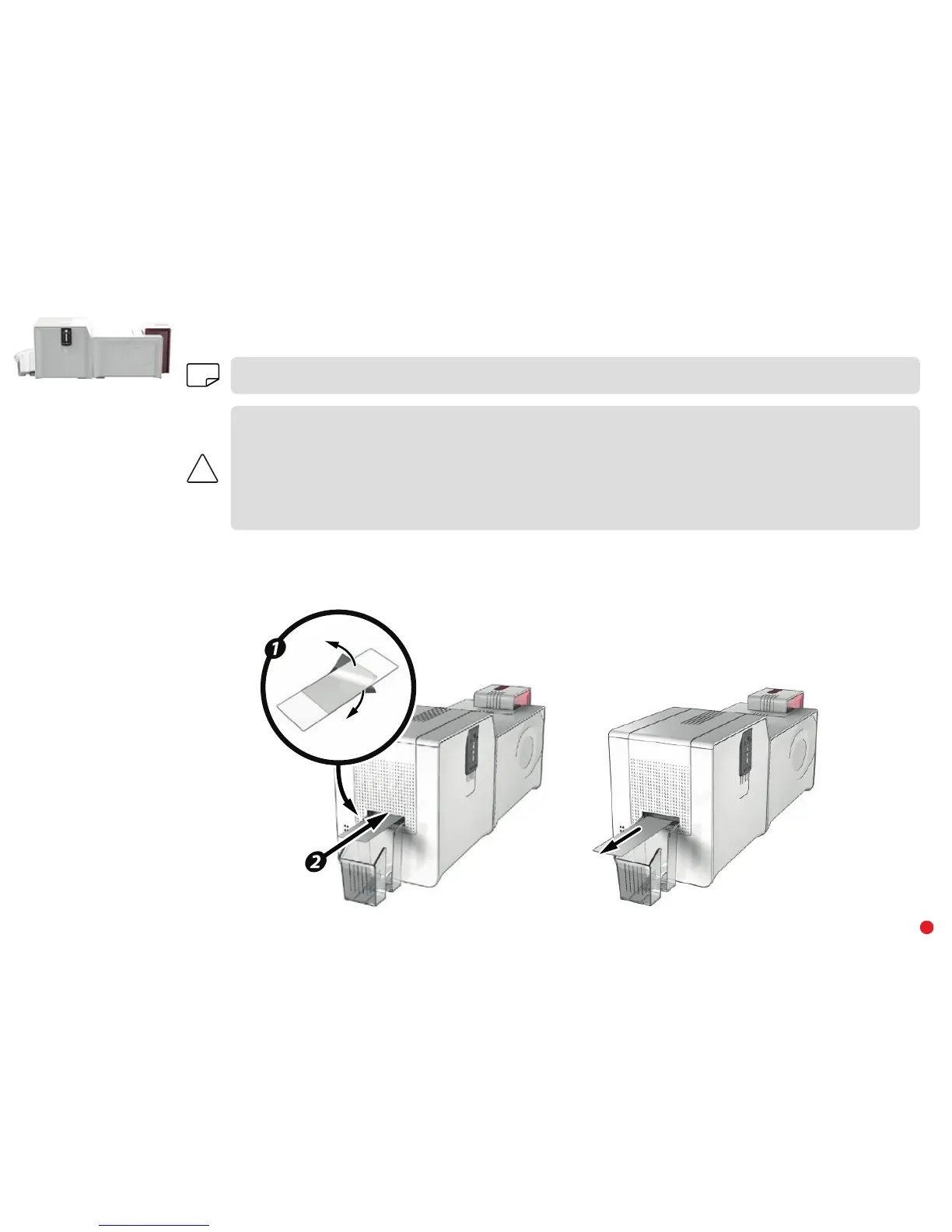
Take the special adhesive cleaning card and remove the two protective films from the front and the back of the card.
Check that there is no film in the lamination unit. If necessary, carefully remove it.
Launch the lamination module cleaning wizard via Evolis Premium Suite
®
.
Insert the adhesive cleaning card into the opening above the output hopper on the left hand side. The card will pass inside the printer. Repeated
passing of the card through the lamination module will give it a deep clean and eliminate the particles of film and dust on the transport rollers.
Once the cleaning cycle is complete, the used card is ejected from the printer. Collect it and throw it away.
Reinstall the film in the lamination unit.
Close the door of the lamination unit.
The printer is ready to operate again.



 To Next Page