HAZEBOX 1500 Manual Ver. 1.00 Page 9
o DMX mode
Each fixture can be controlled individually using a standard DMX-512 controller.
Each device must be "addressed" using the "DMX address" menu. The address entered is then the base address, the
address from which the device will respond.
The DMX controller used will need 2 DMX channels to control the EVO SPARK 600.
CLE
(Important: Please clear machine powder
after each time use, this improves machine’s
life-span)
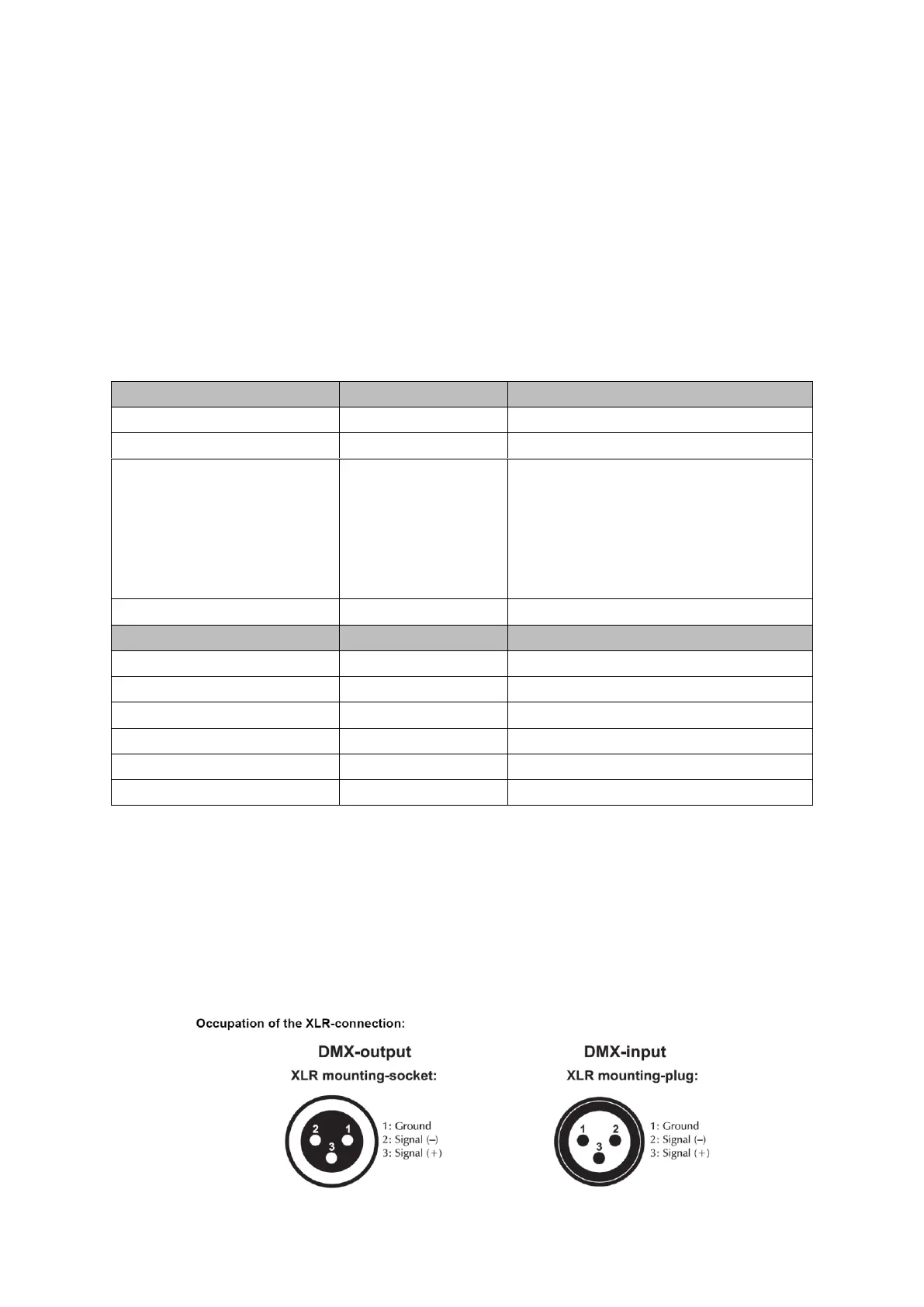
o DMX 512 connection
The wires must not come into contact with each other, otherwise the fixture will not work at all or properly. Please note the starting
address depends upon which controller is being used. Only use a DMX cable and 3-pin XLR-plugs and connectors in order to connect
the controller with the fixture or one fixture to another
Connection with the mains.


 To Next Page