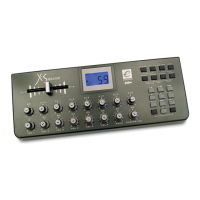
Evolution X-Session Advanced User Guide
18
A list of NRPN’s will always be given in the User Manual of a device that receives NRPN
messages. It is always necessary that the NRPN MSB and LSB are sent together. Both will
be specified in the device’s manual. You may find the manufacturer’s have only specified
the numbers in Hexadecimal format. In this case, use Appendix C to translate the value to
Decimal.
The X-Session makes the process of transmitting NRPN’s easy. All you need is to enter the
appropriate NRPN LSB by pressing the LSB/DATA button twice, enter the NRPN MSB by
pressing the MSB/DATA button twice, and as you move the X-Session controller, an
appropriate NRPN message will be sent out. Assign NRPN coarse to make big sweeps,
or NRPN fine to make slight adjustments.
System Exclusive (Sys Ex) messages were defined in the MIDI specification to allow
individual devices to have individual control via MIDI. The format of Sys Ex messages
allows for virtually any function to be performed via MIDI – so long as the receiving device
is able to translate the message, and act accordingly. This allows devices to send audio
sample memory data, memory dumps, controller settings, and much more. It also allows
the controllers of one device to be controlled by another.
It is not possible to program your own specified Sys Ex message into the X-Session.
However, there are some useful Sys Ex messages pre-programmed, that can be accessed
by assigning the appropriate MIDI cc to a controller (see Appendix B)
It should be noted that a Sys Ex message is not transmitted on any specified channel. All
Sys Ex messages contain a device ID, that is used to single out devices to respond to the
Sys Ex message. All other devices are ignored. If you are using a Sys Ex message on the
X-Session the global channel is ignored. When you press CHANNEL, instead of entering a
channel for the controller, you will be enter a device ID instead. This isindicated by the
fact that the CC symbol will not be showing.
Device ID’s run from 00 to 127. 127 is the default device number setting on the X-Session.
This setting transmits the Sys Ex message to all devices.
Although it is not possible to program the controllers of the X-Session with your own Sys Ex
messages, there are software applications that can receive a MIDI input signal and transmit
a different, user specified message. You can program your Sys Ex messages into the
translator software, then translate the incoming data from the X-Session to your Sys Ex,
depending on the controller you are using.
Sys Ex Explained
15
Evolution UC-33 Advanced User Guide
MIDI In/Out
&
MIDI Messages
Explained


 To Next Page
 Loading...