10
Putting the phone in operation
Insert your fingernail into the slot under the
back cover of the phone and remove the
cover.
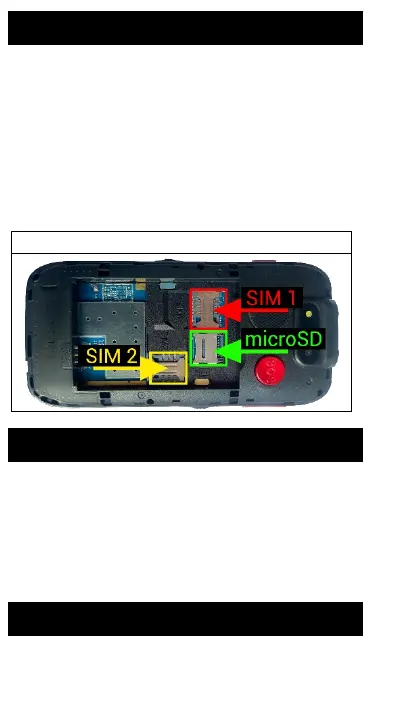
Insert SIM1/2 card and, if applicable, the
memory card, if purchased. Insert the
battery. The metal contacts of the battery
must face the contacts in the phone.
Replace the battery cover.
SIM1/2 cards slot / TF card slot
Charging the battery
Connect the charger to the USB connector.
or put the phone in the charging cradle.
The charging will start automatically. The
phone can be charged both on and off The
battery charge status is indicated on the
phone screen.
Turning phone on/off
To switch on, hold down the red button (4)














 To Next Page