12
Vibrations only set
Vibrations and ringing ON
Vibrations at first and ringing then ON
Putting the telephone into operation
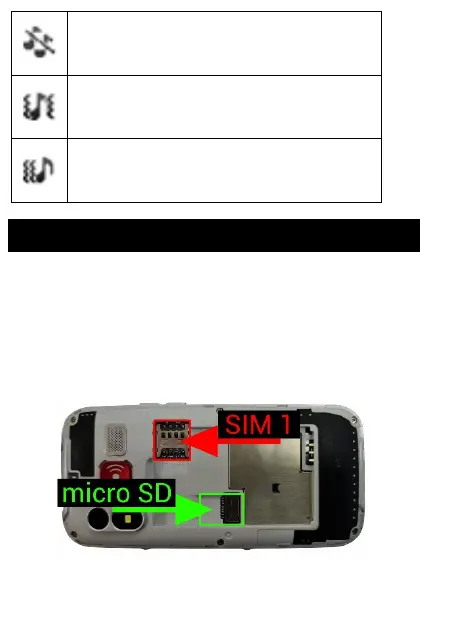
Insert your nail into the slit under the rear
telephone cover and remove the cover. Insert your
SIM card and possibly your memory card if you
have bought it. Insert the battery. The metallic
contacts of the battery must be oriented to the
contacts in the telephone. Place the battery cover
back.














 To Next Page