5
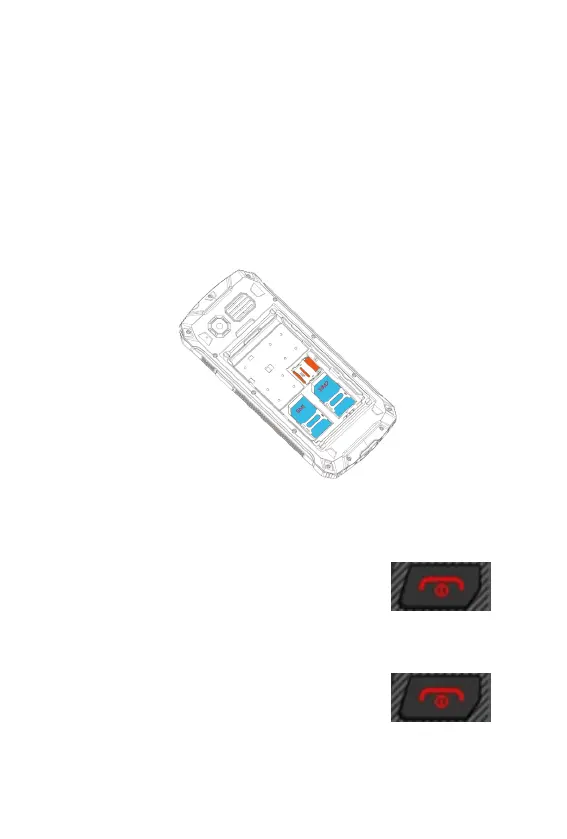
To insert a SIM card and a MicroSD memory
card
1. Remove the four screws on the inner battery cover.
2. Remove the battery cover.
3. Remove the battery.
4. Insert the SIM card(s) / MicroSD card into the slot marked SIM
1(2) / MicroSD. Check that the SIM card / MicroSD card is aligned
correctly as shown below.
Switching on your mobile phone
Press and hold the on/off button for 3 seconds.
Switching off your mobile phone
Press and hold the on/off button for 3 seconds.



 To Next Page