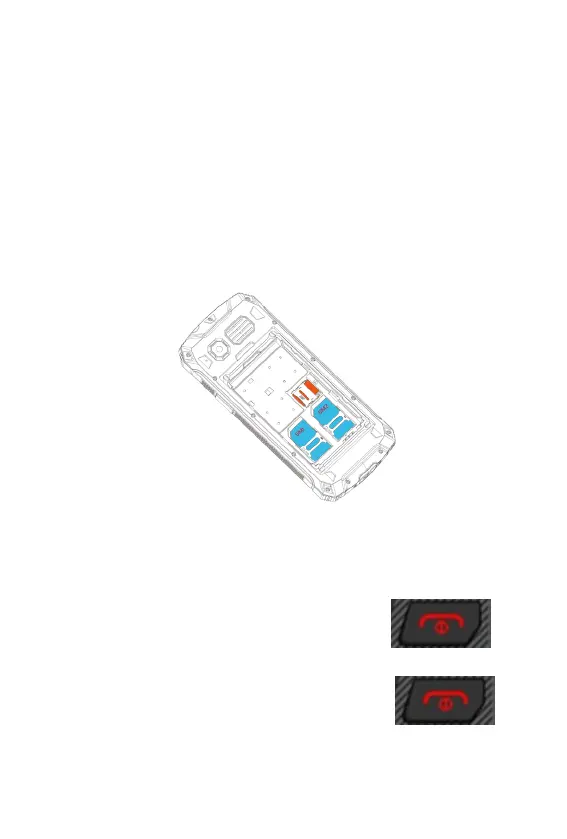
Inserting the SIM Card and the MicroSD
Memory Card
1. Take off the four battery cover screws on the inside cover.
2. Remove the battery compartment cover.
2. Take off the battery.
4. Insert the SIM card(s) / MicroSD card in the slot labeled SIM
1(2) / MicroSD. Ensure the SIM card / MicroSD card is aligned
correctly, as below illustrated.
Switching On the Mobile Phone
Press the On-hook key for 3 seconds.
Switching Off the Mobile Phone
Press the On-hook key for 3 seconds.
Basic Operations
Use the following keys to navigate through the menus provided














 To Next Page