EasyManua.ls Logo

Evolveo StrongPhone Z4 - Status Bar; Icon Status; Overview of the most Important Functions

Evolveo StrongPhone Z4
19 pages
Print Icon
To Next Page IconTo Next Page
To Previous Page IconTo Previous Page
Loading...
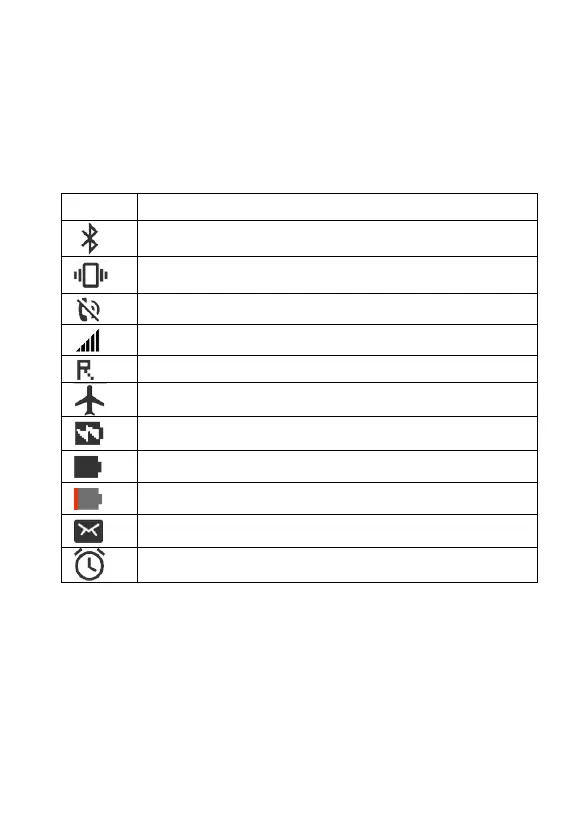
Status Bar
The status bar at the top of the home screen provides phone
and service status information and notification alerts.
Note: Status and notification icons are subject to change. Not
all icons are depicted below.
Overview of the Most Important Functions
Framed texts are provided in the following operating steps.
These frames indicate texts which can appear in the display of
the mobile phone.
Icon
Status
Bluetooth
®
active
Vibrate mode
Silent mode
Network(full signal)
Network(roaming)
Airplane mode
Battery(charging)
Battery(full charged)
Battery(discharged)
New SMS message
Alarm