7
EVOFLAME MANUAL ISS. 3.1EVOFLAME MANUAL ISS. 3.1
EVONIC - 104 INSTRUCTION GUIDE TEMPLATE ISSUE 1EVONIC - 104 INSTRUCTION GUIDE TEMPLATE ISSUE 1
CONTROL OVERVIEW
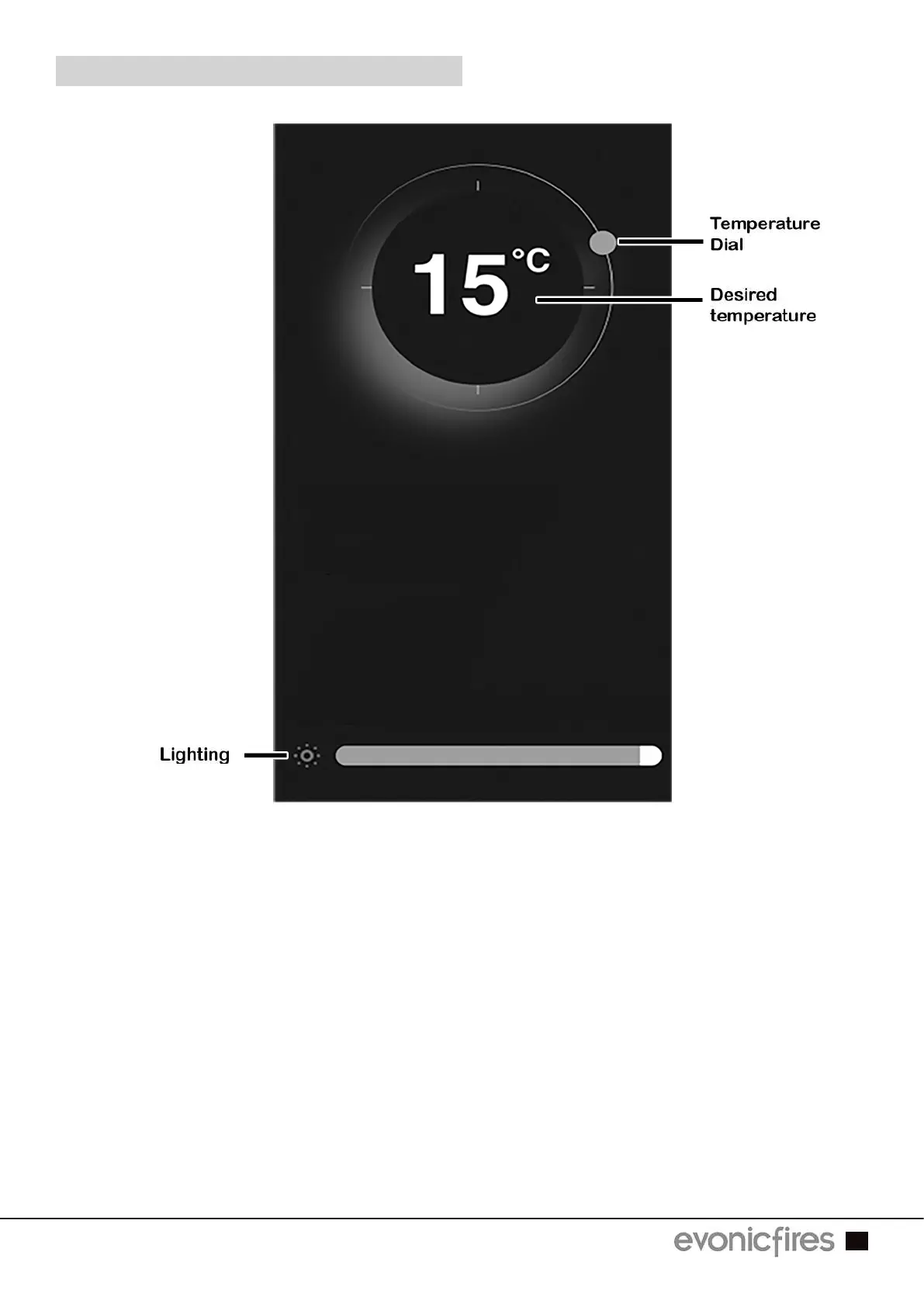
To adjust the desired temperature of your fire ensure that the heater is selected on the To adjust the desired temperature of your fire ensure that the heater is selected on the
Home Page in the previous step. Then press, hold, and rotate the temperature dial to set Home Page in the previous step. Then press, hold, and rotate the temperature dial to set
the temperature.the temperature.
By clicking on the lighting icon you can adjust the flame brightness by pressing, holding, By clicking on the lighting icon you can adjust the flame brightness by pressing, holding,
and sliding the tab at the bottom of the screen. Slide left to lower the brightness, and right and sliding the tab at the bottom of the screen. Slide left to lower the brightness, and right
to increase the brightness. to increase the brightness.



 To Next Page