6
EVOFLAME MANUAL ISS. 3.1EVOFLAME MANUAL ISS. 3.1
EVONIC - 104 INSTRUCTION GUIDE TEMPLATE ISSUE 1EVONIC - 104 INSTRUCTION GUIDE TEMPLATE ISSUE 1
USING THE E-SMART CLOUD APP
HOME PAGE
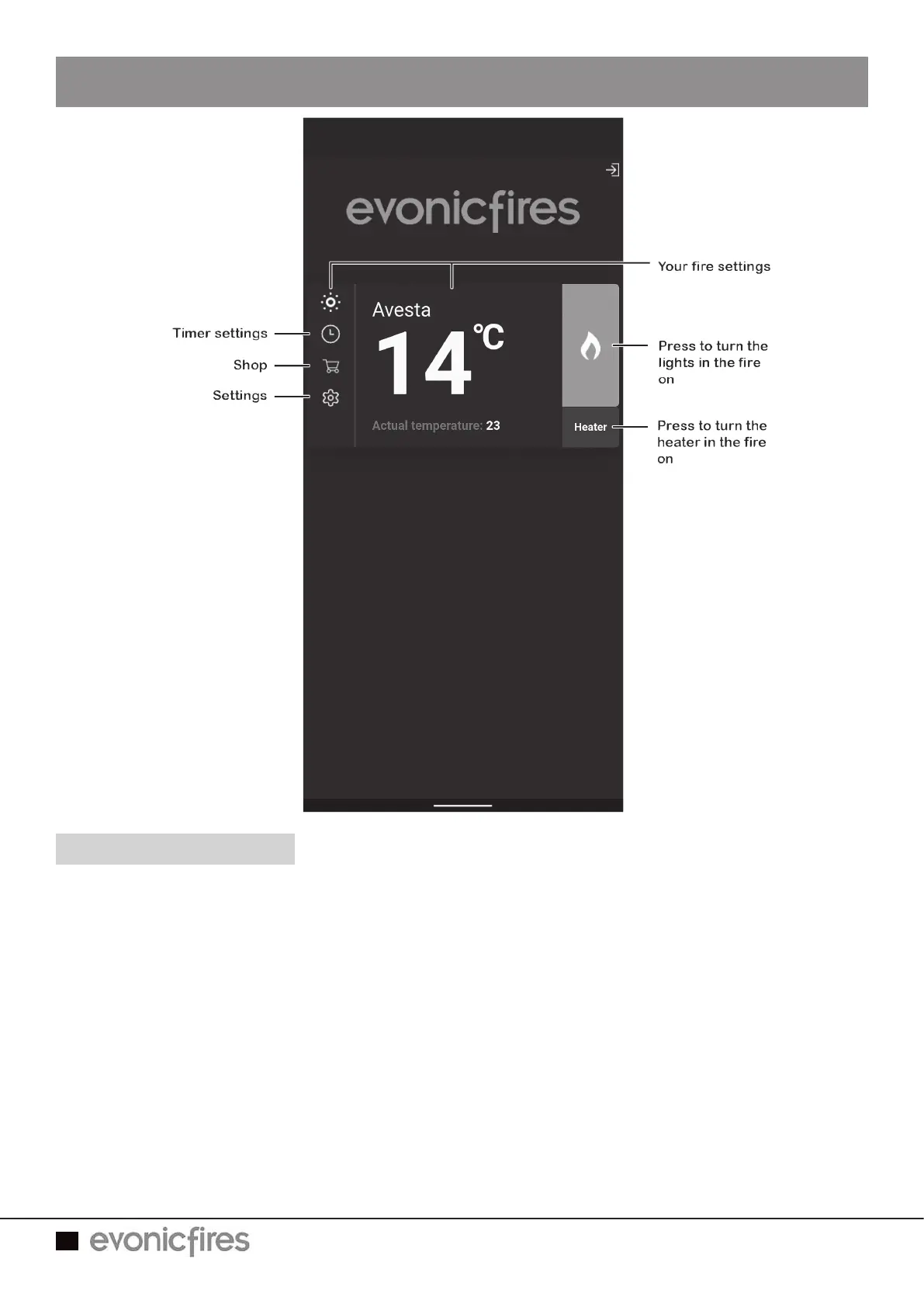
On the Home Page of the E-Smart App you can see the name of your fire, the chosen
temperature, and the actual temperature.
On the left hand side you can select the timer, shop, and app settings. On the right hand
side you can turn the lights in the fire on and off, and also turn the heater on and off.
To enter the Control Overview either select the light bulb icon on the top left or the central
temperature box.



 To Next Page