CONFIGURATION MANUAL
16
I/O-panel installation
coding
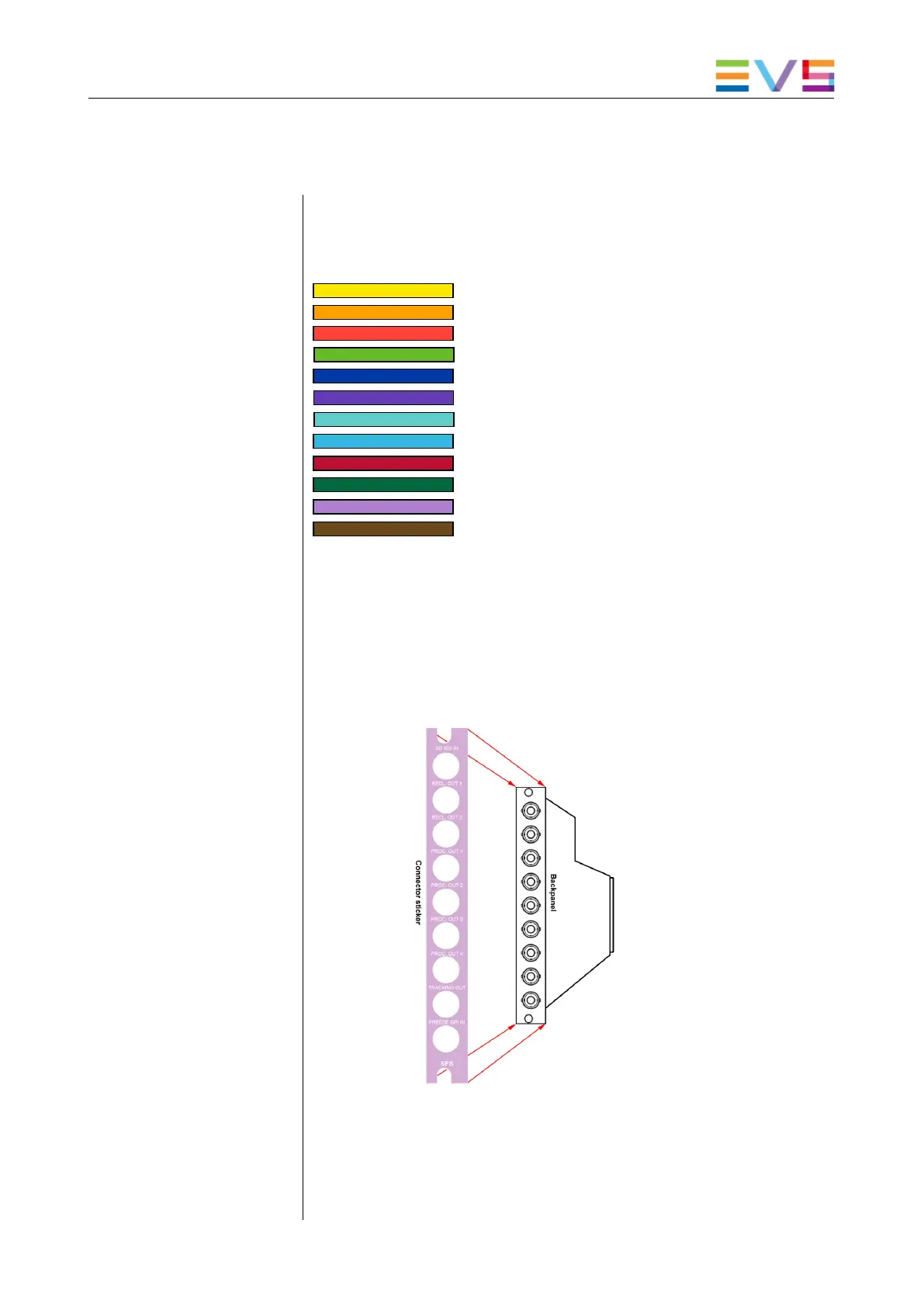
The Synapse system uses different connector and card-grip sticker
colors to give you a clear view on which card has which function.
These color codes are the following:
(orange)
(red)
(green)
(dark blue)
(purple)
(turquoise)
(light blue)
(dark red)
(dark green)
(violet)
(brown)
= Analog audio distribution
= Analog video distribution
= Audio A/D conversion
= Audio D/A conversion
= Audio for video
= Audio processing
= Digital audio distribution
= Digital video distribution
= Video A/D conversion
= Video D/A conversion
= Video processing
= Synapse Miscellaneous
connector sticker
The connector sticker is sometimes delivered separately with the
I/O-panel. It fits exactly over the I/O-panel and gives it the right
color with the correct connector descriptions per connector. Make
sure the sticker will be manually applied onto the I/O-panel like
displayed in the picture below before you install the I/O-panel in the
frame.
panel
When the connector sticker is properly fitted onto the I/O-panel and
the card is inserted into the frame, you can insert the I/O-panel so it
connects to the card. To do this you first have to screw off the
placeholder back plate (if there is one) which is covering the
backplane slot, parallel to the front slot where you inserted the card


 To Next Page