EVS Broadcast Equipment SA
9
Chapter 1: Introduction
Introduction to Synapse
Synapse
EVS is a modular system designed for the broadcast industry. High
density, intuitive operation and high-quality
features of this system. Synapse offers a full range of converters
and processing modules. Please visit the EVS website at
http://www.evs.com/ to obtain the latest information on our new
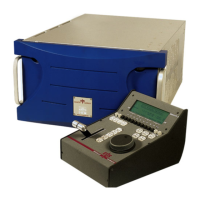
The local control panel gives access to all adjustable parameters
and provides status information for any of the cards in the Synapse
frame, including the Synapse rack controller. The local control
panel is also used to back-up and restore card settings. Please refer
to the ERC118, ERS118, ERC108, ERS108, RRC18, RRC08,
RRC04, RRS18, RRS08 and RRS04
description of the local control panel, the way to set-
up remote
control over IP and for frame related settings and status
information.
Capabilities
The remote control options are explained in the rack controller
manual. The method of connection to a computer using Ethernet is
described in the ERC, ERS, RRC or RRS manual.
“EVS Cortex” software will increase system
flexibility of one or more Synapse frames
Although you are not required to use Cortex with a Synapse frame,
you are strongly advised to use a remote personal computer or
laptop PC with the EVS Cortex software installed as this increases
the ease of use and understanding of the modules. This program is
downloadable on our website (http://www.evs.com/


 To Next Page