AirKey system manual version 2.7 |
06/03/2024 | Subject to technical changes and misprints
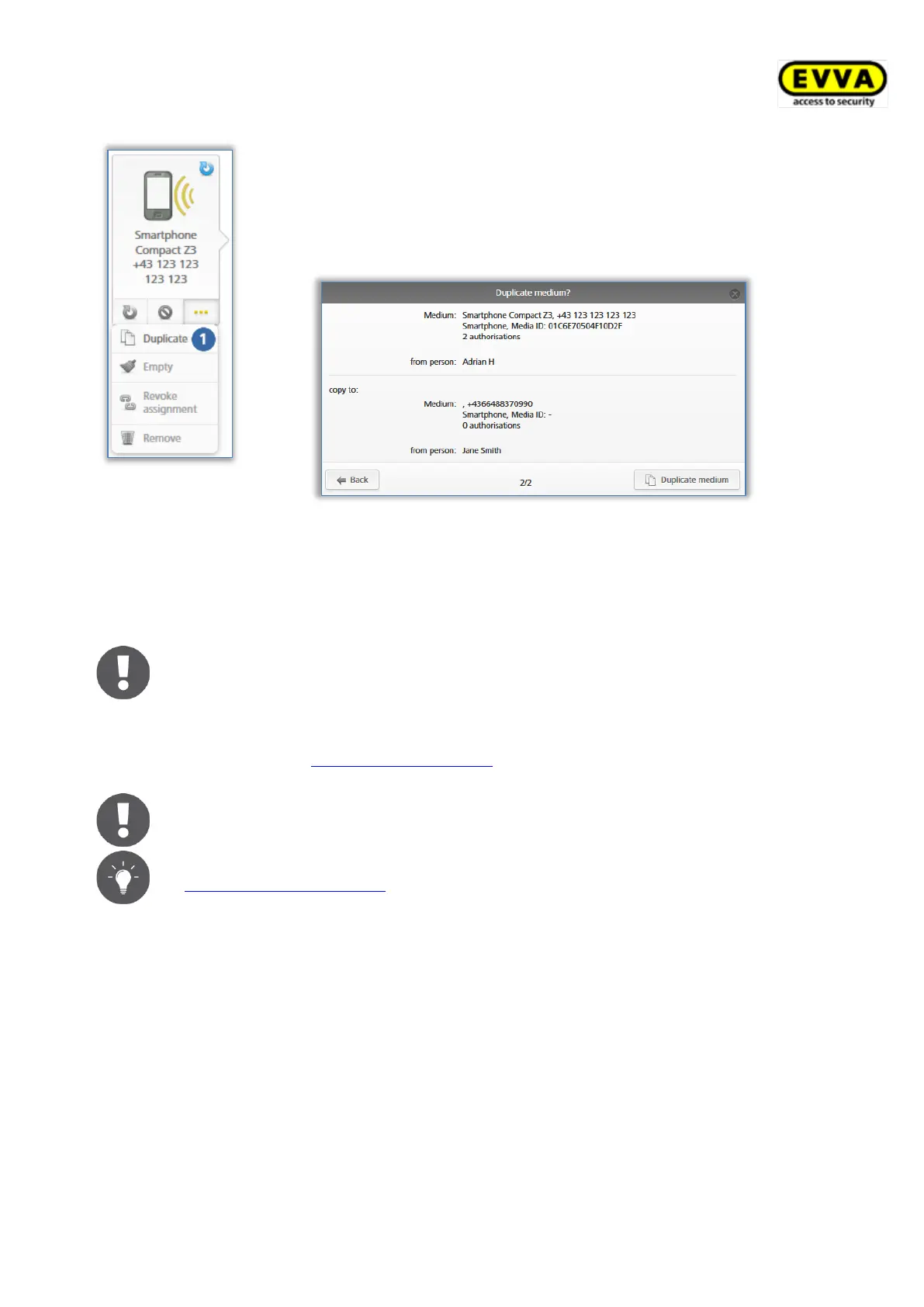
Figure 190: Duplicating media
> Click More... → Duplicate .
An overview list opens showing all media assigned to a person
– the medium for duplication is not on this list.
> Select the desired target medium and click Continue.
> Click Duplicate medium to complete the process.
Figure 191: Duplicating media
The system confirms successful duplication. You are forwarded to the authorisation overview
of the target medium.
Any existing authorisations on the target medium are overwritten.
Click Create authorisations to create and update the target medium and complete
duplication. Please refer to Creating authorisations for more information on creating media.
One KeyCredit will be deducted from your account for this process.
Consequently, you require credit.
If your AirKey Online Administration involves a high number of persons (see
Importing personal data) with identical authorisations, you can quickly
assign a high number of media featuring the same authorisations to the
corresponding persons using the "Duplicate medium" function.
5.6.22 Emptying media
Empty media if you would like to delete all authorisations on them.
> On the Home screen, select the Smartphones or Cards tile.
> Alternatively select Media & persons → Media in the main menu.
> Click the medium you would like to clear in the overview list.


 To Next Page
 Loading...