AirKey system manual version 2.7 |
06/03/2024 | Subject to technical changes and misprints
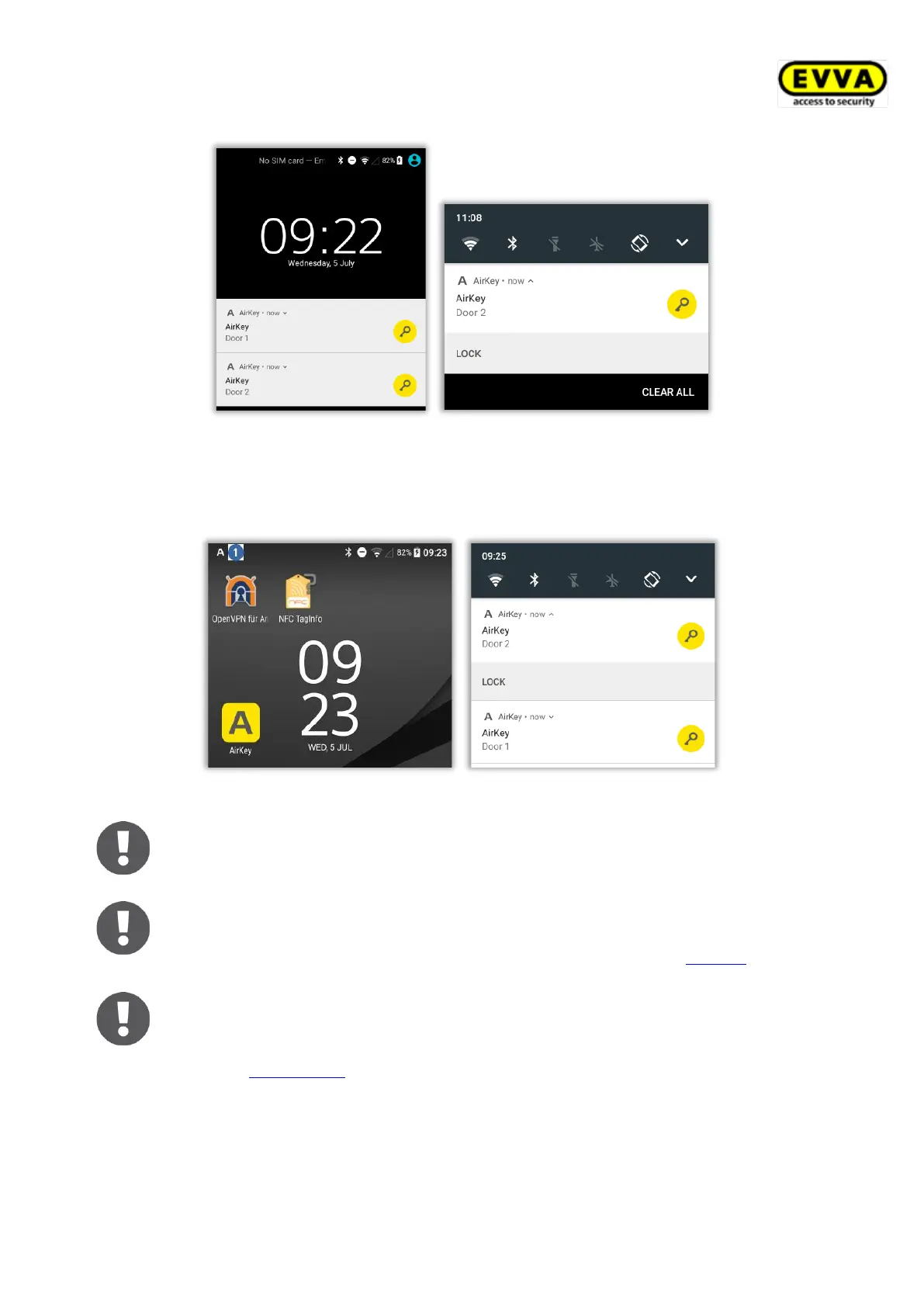
Figure 229: Unlocking from notifications – lock screen
The notification on the smartphone’s lock screen is indicated by an A in the top left-hand
corner. Pull down the top edge of the screen to show notifications indicating the locking
components you can unlock.
Figure 230: Unlocking from notifications
Depending on your smartphone model, you can interact with the notification
by simply tapping the notification or expanding, wiping, or holding down the
notification and then tapping Unlock.
Depending on the setting Access from lock screen in the AirKey Online
Administration settings, either you can unlock directly from the lock screen
or the lock screen must be unlocked first. For more details, see General.
Unlock from notifications is only possible if the notifications for
"Components in range" are activated in the settings of the AirKey app.
Details about the configuration of the notifications can be found in the
chapter Notifications.
6.9.6 Security functions
The Security functions menu provides three security levels:


 To Next Page
 Loading...