AirKey system manual version 2.7 |
06/03/2024 | Subject to technical changes and misprints
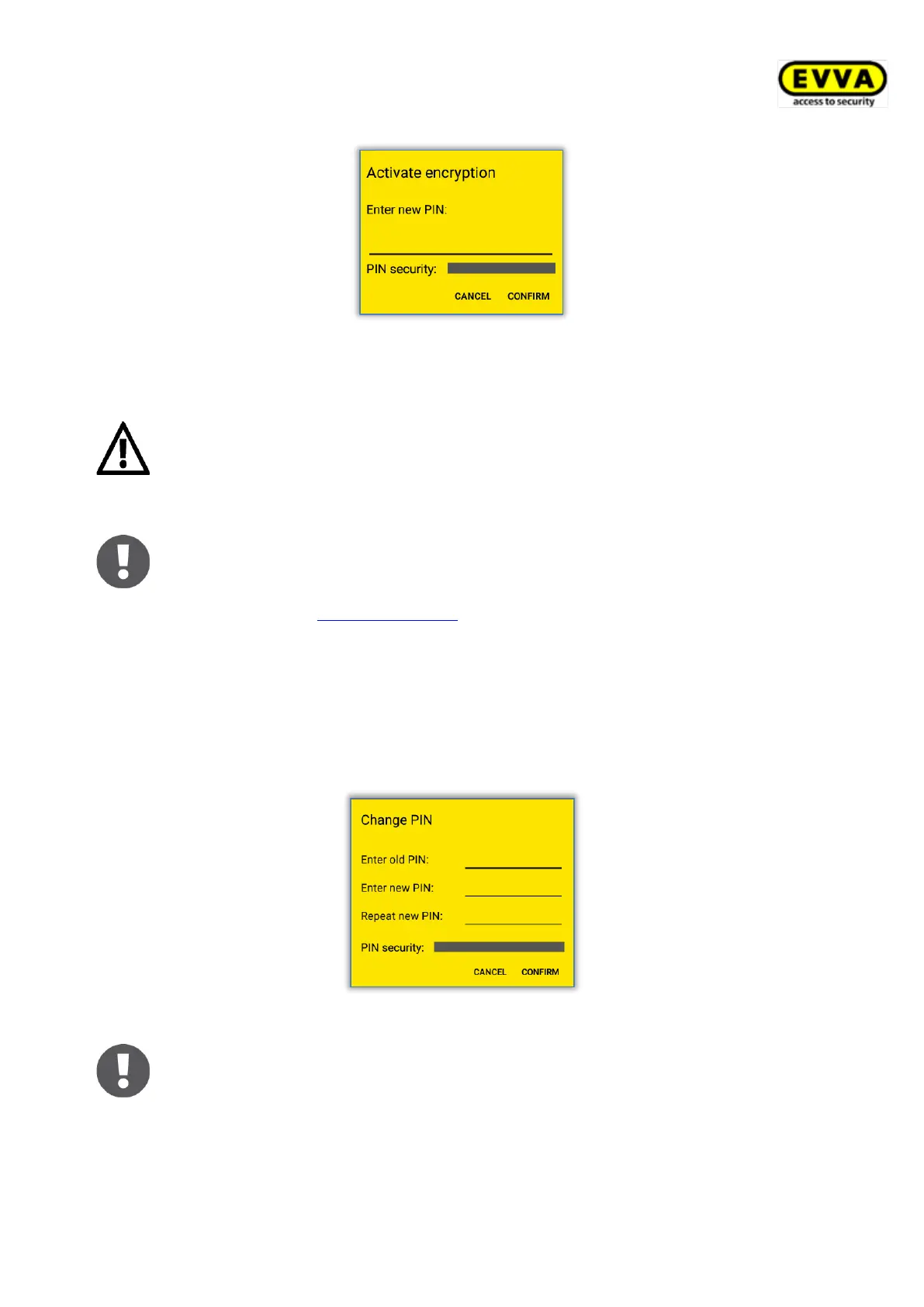
Figure 232: AirKey app – activating PIN code
> Re-enter the PIN code and select Confirm to complete the process.
EVVA recommends assigning a PIN code. Make sure your PIN code is as
long as possible and you do not disclose the PIN code. The PIN code strength
is already verified upon entering the PIN code using a bar highlighted in
traffic light colours (red / orange / green).
The PIN code is required upon unlocking locking components only. There is
no confirmation within the app indicating that the PIN code has been
entered correctly. The PIN code may has already been defined and saved
beforehand (see Entering PIN code).
6.9.6.2 Changing PIN code
Proceed as follows to retrospectively change a defined PIN code:
> Open the menu in the AirKey app and select Settings → Security functions.
> Select Change PIN code.
> Enter the old PIN code, define a new PIN code, re-enter it and select Confirm.
Figure 233: AirKey app – changing PIN code
Make sure your PIN code is as long as possible and you do not disclose the
PIN code. The PIN code strength is already verified upon entering the PIN
code using a bar highlighted in traffic light colours (red / orange / green).


 To Next Page
 Loading...