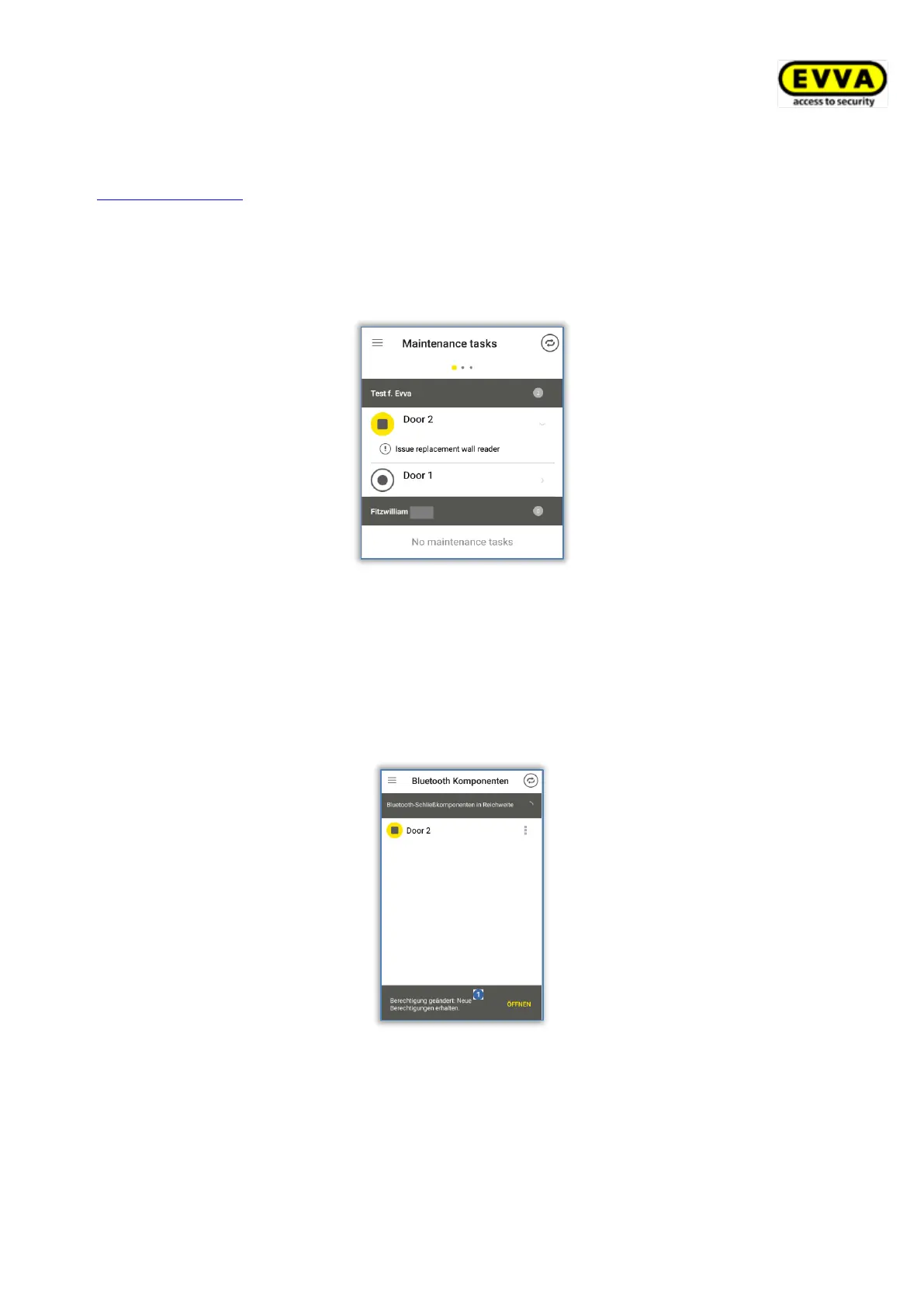
If this setting has been activated, the main menu of the AirKey app additionally features the
Maintenance task menu item. The corresponding page lists locking components and their
maintenance tasks that were created within the AirKey Online Administration.
If the smartphone has been registered in several access control systems, exclusively locking
components in access control systems are listed to which the smartphone has been assigned
maintenance authorisations. You will receive a push notification on your smartphone as soon
as a new maintenance task has been created in the AirKey Online Administration.
Figure 238: Maintenance tasks
Notifications for authorisations
This setting is always displayed.
Activate this setting and you will receive a notification for approximately 2 sec. at the
bottom edge of the AirKey app screen (providing the app is open) whenever a new
authorisation for your smartphone is created or changed in the AirKey Online Administration.
Figure 239: Notifications for changes to authorisations
If the AirKey app is not open, you will receive a corresponding push notification on the lock
or start screen of your smartphone.
Regardless of the settings for notifications on authorisations a permanent entry will be added
to the Authorisation log page.


 To Next Page
 Loading...