12.3 Edit API key
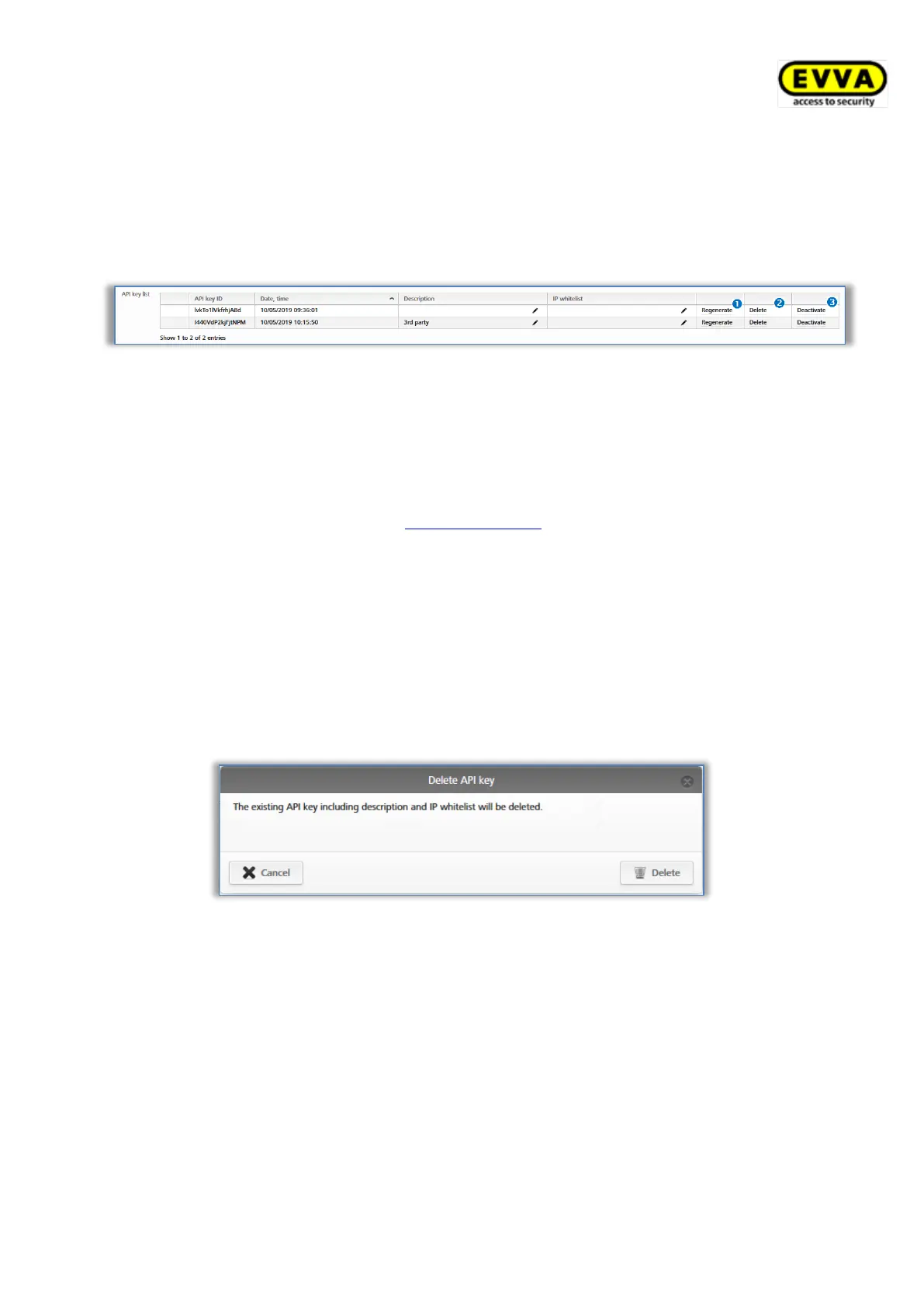
The description and IP whitelist of existing API keys can be edited later in the Settings in
the General tab using the pencil icon. In addition, the functions Regenerate, Delete and
Deactivate or Reactivate are available for the individual API keys.
Figure 325: Edit API key
12.3.1 Regenerate API key
This replaces an existing API key with a new API key. The replaced API key is no longer
valid.
> Click in the Settings in the tab General, in the list of API keys, on Regenerate .
> All further steps are identical to Generate API key.
12.3.2 Delete API key
This deletes an existing API key. This key will be removed from the list of API keys and is
therefore no longer valid. Deleting API keys increases the number of available API keys
accordingly.
> Click in the Settings in the tab General, in the list of API keys, on Delete .
> Confirm the dialogue with Delete to finally delete the API-Key.
Figure 326: Delete API key
12.3.3 Deactivate and activate API key
This deactivates an existing active API key or activates a deactivated API key. A deactivated
API key is invalid and no API requests can be sent to the AirKey access control system. The
API key, its description, and IP whitelist do not change because of the deactivation and
activation.
> In the Settings in the General tab, in the list of API keys, click Deactivate or
Activate.
> Confirm the dialogue with Deactivate or Activate to complete the process.


 To Next Page
 Loading...