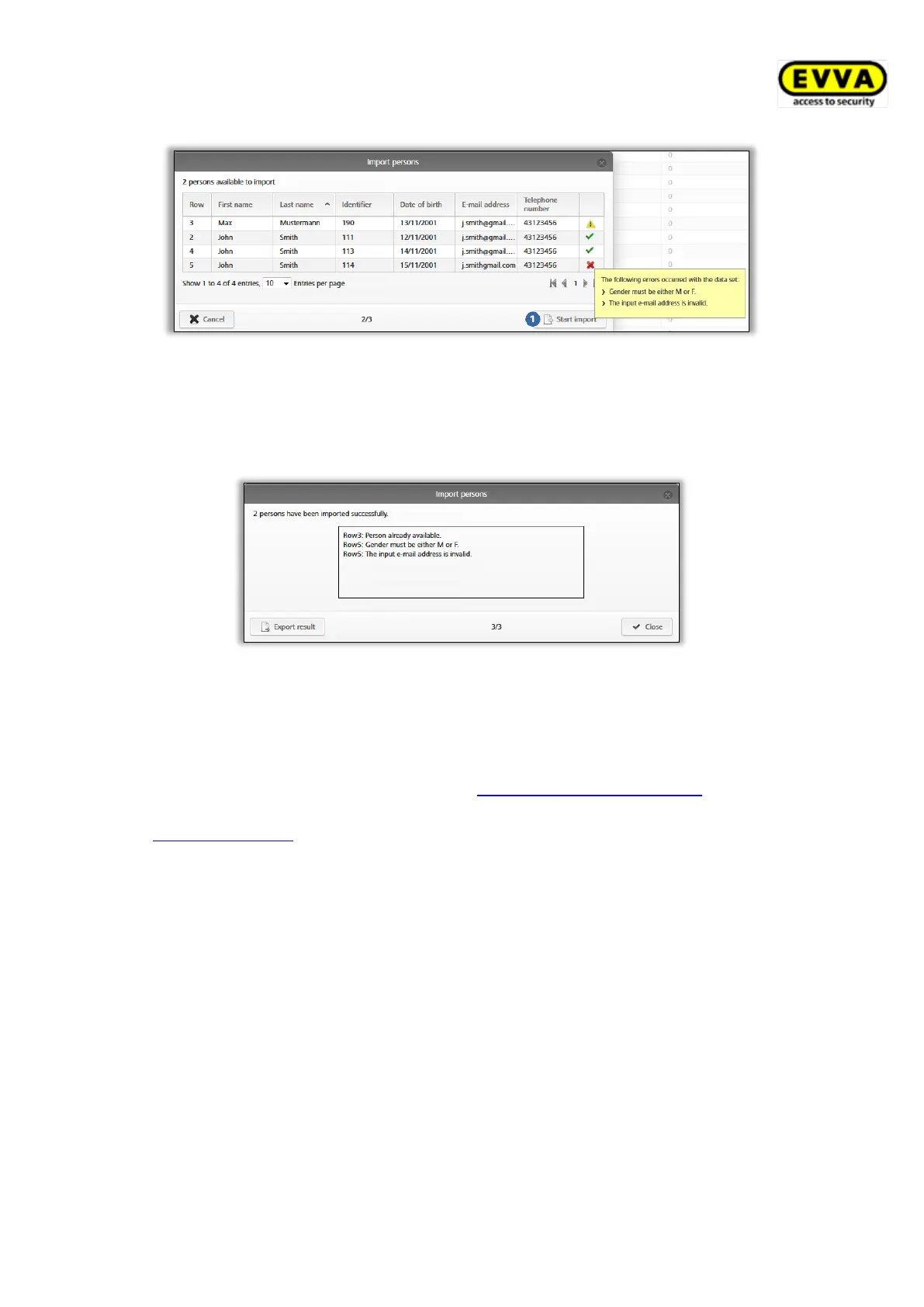
Figure 38: Importing persons
> A report is output listing the number of successfully imported persons and faulty
rows.
> Click Close.
Figure 39: Importing persons – result
> The AirKey Online Administration automatically forwards you to the overview list of
persons.
> Assign the desired access authorisations to the corresponding persons individually
using the familiar process described in Assigning media to persons. Consequently,
identical access authorisations can be quickly and easily duplicated. Please refer to
Duplicating media for more information.
4.8 Creating smartphones
You must create or add smartphones to your access control system before you can manage
them as part of your access control system.
> On the Home screen, in the grey bar of the Media and persons section, click Add
→ Add medium.
> Alternatively, on the Home screen, select the Smartphones → Add medium tile.
> You can also select Media & persons → Add medium in the main menu.


 To Next Page
 Loading...