AirKey system manual version 2.7 |
06/03/2024 | Subject to technical changes and misprints
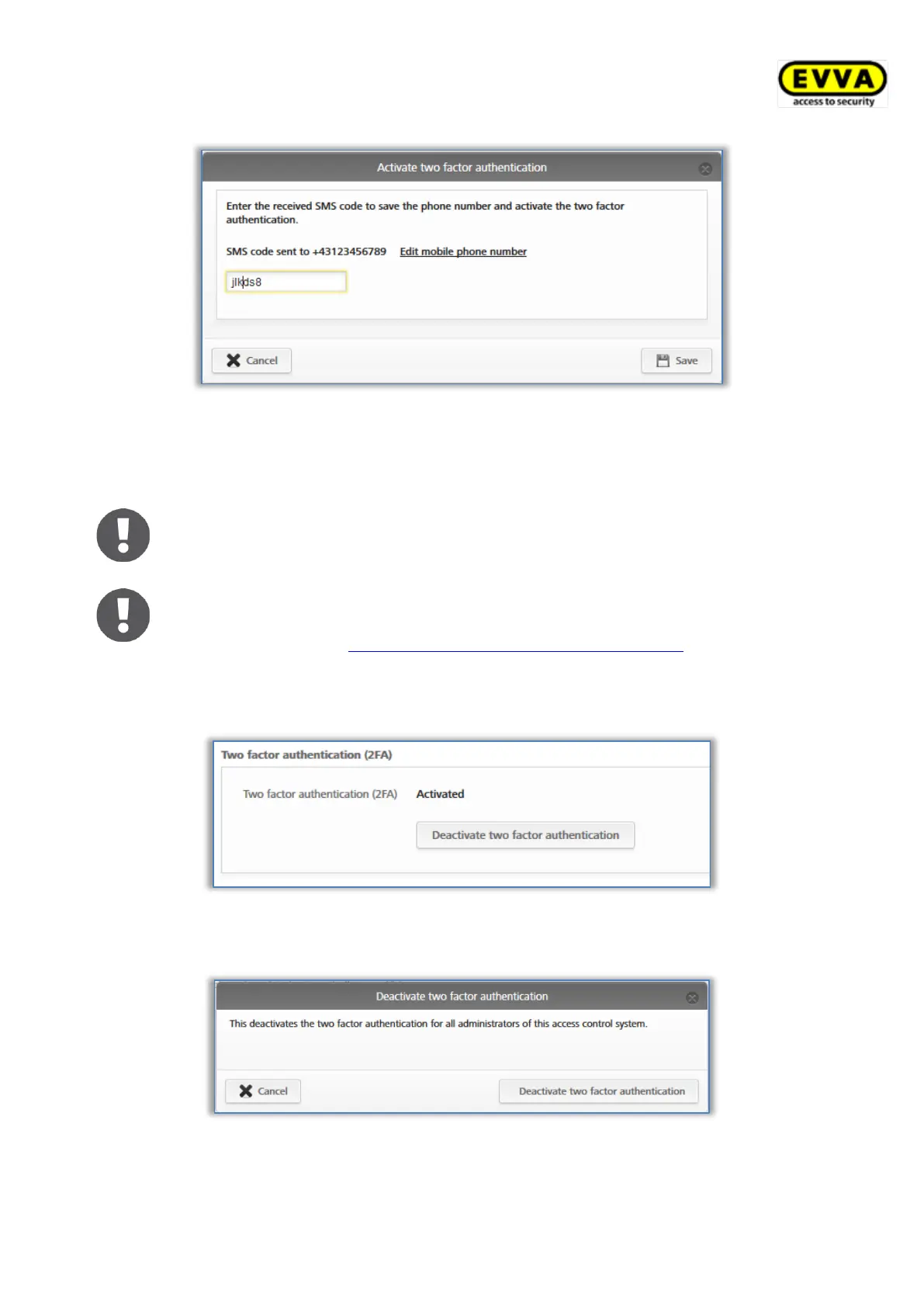
Figure 118: Enter SMS code settings
If a valid SMS code has been used, two-factor authentication is activated for all administra-
tors of the access control system. The status in the settings changes accordingly.
The SMS code is valid for 5 minutes. If the 5 minutes are exceeded, the
process must be repeated.
From the time of activation, a mobile phone is required for each login.
Details on the login process with activated two-factor authentication can be
found in the chapter AirKey login with two-factor authentication.
To disable two-factor authentication, follow these steps:
> Click on Deactivate two-factor authentication.
Figure 119: Deactivate two-factor authentication
> Confirm the prompt also with Deactivate two-factor authentication.
Figure 120: Deactivate two-factor authentication prompt
The function is deactivated again for all administrators of the access control system.


 To Next Page
 Loading...