EasyManua.ls Logo

Ewel Titano - Remote & Control Panel; Assembly Instructions

Ewel Titano
5 pages
Print Icon
To Next Page IconTo Next Page
To Previous Page IconTo Previous Page
Loading...
12.
13.
The
appliance conforms with
Directives 200411081EC
regarding
Electromagnetic
Compatibility
(EMC)
and Directives 2006/95/EC
regarding Low Voltage
(LV).
This
product
is
intended
for household
use
ONLY
and not for
commercial / induskial
or outdoor
use.
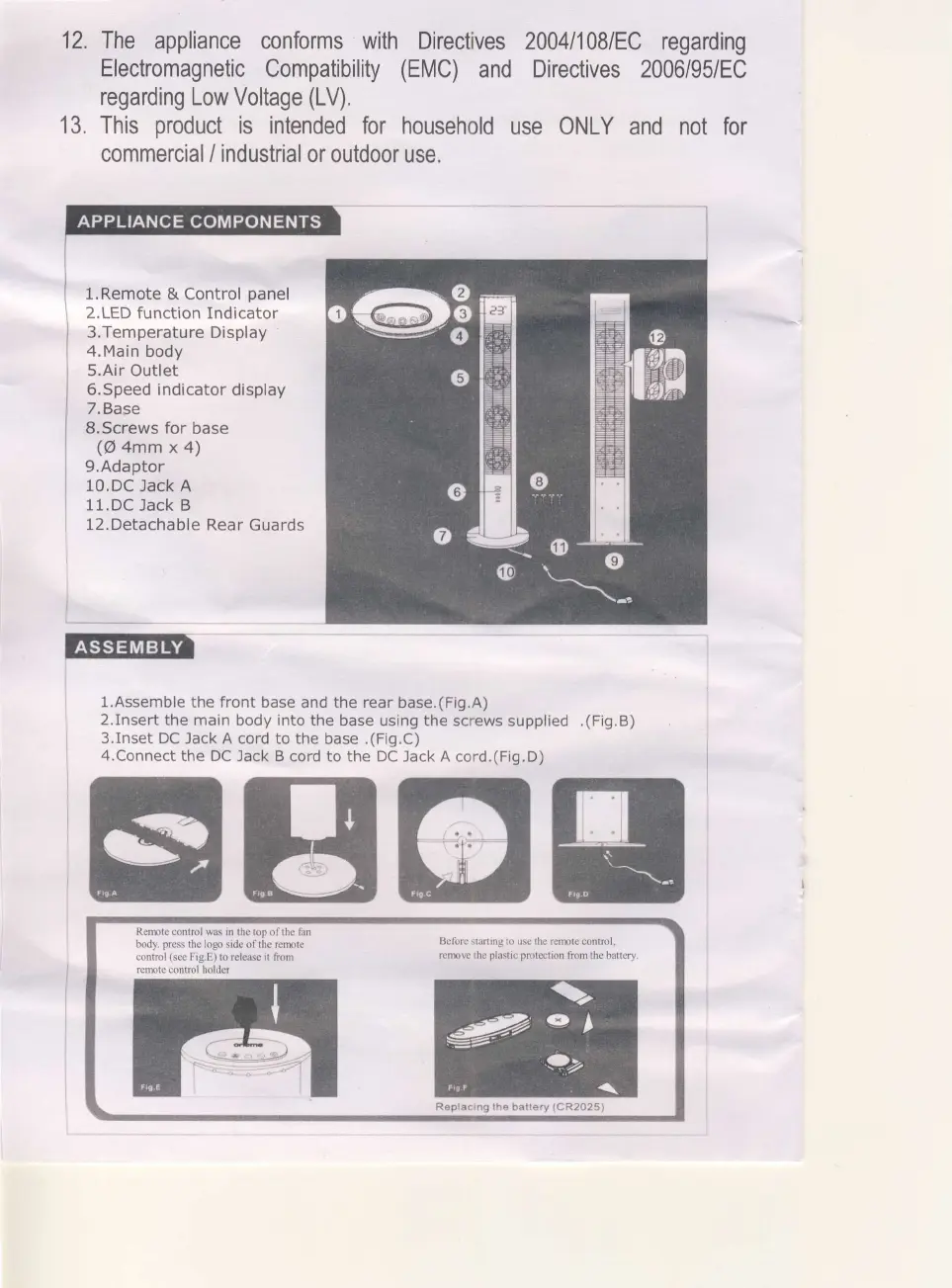
l.Remote
&
Control
panel
2.LED
function Indicator
3.Temperature
Display
4.Main
body
5.Air Outlet
6.Speed indicator
display
7.Base
S,Screws for
base
(@
4mm
x 4)
9.Adaptor
10.DC
Jack A
11.DC
Jack B
12. Detachable
Rear
Guards
:
1
l.Assemble
the front base and the rear
base.(Fig.A)
2.Insert
the main body into the
base using the screws
supplied
.(Fig.B)
3.Inset
DC Jack A cord
to
the
base .(Fig.C)
4.Connect
the DC
Jack B cord to the DC Jack A
cord,(Fig.D)
gBGIH
Remte
control
was
in the top of the fan
body-
press
the logo side of the remte
control
(see
Fig.E)
to rcle6e it from
remte control holder
Befiore slafting
to use the remte control.
remw the
plastic protetion
from the battery-
Replacing the battery
(CR2O25\