2
|
ENGLISH
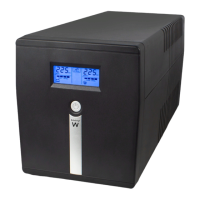
EW3948 Line Interactive UPS 1000 VA - 600W
Table of contents
1.0 Introduction ........................................................................................................... 2
1.1 Functions and features ...................................................................................... 3
1.2 Packing contents ............................................................................................... 3
1.3 Connections of the UPS .................................................................................... 3
2.0 Remarks about Safety ........................................................................................... 3
3.0 Working Principle .................................................................................................. 4
3.1 In AC mode ...................................................................................................... 4
3.2 AC Failure ........................................................................................................ 5
3.3 Connections of the UPS .................................................................................... 5
3.4 Battery and Charging: ....................................................................................... 5
4.0 Main Features ....................................................................................................... 5
4.1 Unattended Operation ....................................................................................... 5
4.2 Protection .......................................................................................................... 5
4.3 Four Kinds of Alarm Function ............................................................................ 6
4.4 Lock Phase Function ......................................................................................... 6
4.5 The Function of the Self-set Frequency ............................................................. 6
5.0 LCD Display .......................................................................................................... 6
6.0 Installing the UPS .................................................................................................. 7
7.0 UPSilon 2000 software .......................................................................................... 7
7.1 Installing the software ........................................................................................ 8
7.2 UPSilon 2000 options and settings .................................................................... 8
7.2.1 Settings ...................................................................................................... 8
7.2.2 Tasks.......................................................................................................... 9
7.2.3 Control ........................................................................................................ 9
7.2.4 Close File ................................................................................................... 9
7.2.5 Log File ...................................................................................................... 9
7.2.6 About .........................................................................................................10
8.0 Maintenance ........................................................................................................ 10
8.1 Preventative Maintenance .............................................................................. 10
8.2 Battery Maintenance ....................................................................................... 10
8.3 Handling of abnormity ..................................................................................... 11
9.0 Frequently Asked Questions and other related information .................................. 11
10.0 Service and support ........................................................................................... 11
11.0 Warning and points of attention ......................................................................... 12
12.0 Warranty conditions ........................................................................................... 14
1.0 Introduction
Congratulations with the purchase of this high-quality Ewent product! This product
has undergone extensive testing by Ewent’s technical experts. Should you
experience any problems with this product, you are covered by a two-year Ewent


 To Next Page
 Loading...