17
To store an offset
• Select manual L, C or R measurement mode (see MODE menu)
• Enable the HOLD mode (see HOLD menu)
• Obtain offset value by measuring a component or
by nulling test leads (see examples below)
• Enter the NULL menu and select SET
Example1:Nulling test leads for small resistance measurement
• Select manual R measurement mode (see MODE menu)
• Enable the HOLD mode (see HOLD menu)
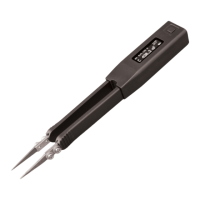
• Short tweezers leads to obtain offset value
• Enter the NULL menu and select SET
Example2:Nulling test leads for small capacitance measurement
• Select manual C measurement mode (see MODE menu) and 10KHz
test frequency (see SETTINGS menu)
• Enable the HOLD mode (see HOLD menu)
• Bring tweezers leads to the distance equal to
the size of the component to measure (e.g. 0.5
mm) to obtain capacitance offset value
• Enter the NULL menu and select SET
During measurements an asterisk will appear beside the test mode indicator
for which the offset has been stored indicating relative measurement.


 To Next Page
 Loading...