3
GETTING STARTED
1. Connect the charger’s red cable clamp to the battery’s positive
terminal post (+), and the black cable clamp to the battery’s
negative terminal post (-).
2. Connect the charger’s mains plug to a grounded power socket.
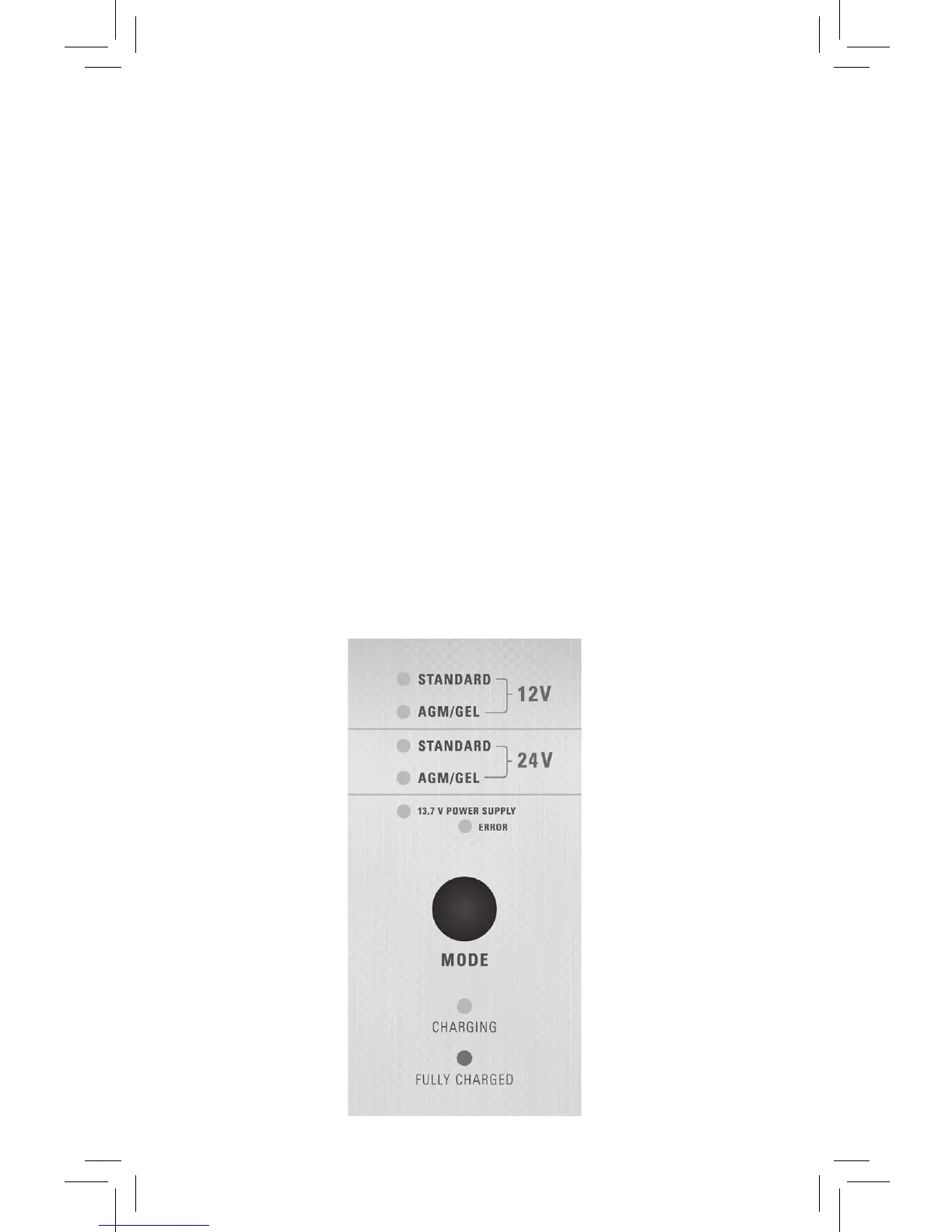
3. Select the correct function by pressing the “Mode”-button.
Charging:
•Choosevoltage:12Vor24V
•Choosebatterytechnology:StandardorAGM/Gel
Power Supply:
•13,7VPowerSupply
OBS! This function is only for 12 V-system
4. When the LED for the select mode is green, the battery is fully
charged. Remove the mains plug and the cable clamps.
5. If wrong voltage, or polarity, is chosen, the charger will not start.


 To Next Page