Operation
8.Re-installtheplasticbeltcoverandtightenthe
knobs.
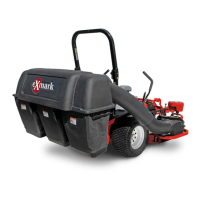
9.Removethebagsfromthehopperassemblyby
openingthehopperandliftingupontherearof
thebagandthenunhookingthefrontclip.
10.Removethehopperbyslidingitoutwardfrom
thehopperframe.
11.Removeandretainthehairpinfromthehopper
frame.Removethehopperframefromthe
hoppermountbrackets.Reinstallthehairpinback
intothehopperframe.
12.PulloutbothROPSpinsthatarelocatedbelow
theROPSpivot.
13.Theremovableweightsmustberemovedfrom
theunit.
Removethecasterweightsbylooseningthe
clampingknobsuntiltheboltcanberotatedaway
fromthecasterarm.Carefullylifttheweightsoff
thecasterarms.
Note:Theremovableweightsareheavy.Use
carewhenliftingthem.Makesurethatyoucan
holdthemsecurelybeforeliftingthem.Use
cautionwhenpositioningyourhandssothatyou
DoNotsetthemdownonyourhandsorngers.
WARNING
Casterortoeboardweightsinstalledwithout
thecollectionsystemmaycauselossof
tractionandsteeringcontrol.Lossofcontrol
canresultinanaccidentwhichmaycause
death,injury,orpropertydamage.
InstallcasterortoeboardweightsONLY
whenthecollectionsystemisinstalled.
14.Themachinecannowbeusedforsidedischarge
mowing.
CollectionSystemInstallation
Important:Verifythatthebaggermount
supportbracketsareinstalledonyourunitprior
tooperation.
1.Stopengine,removekey,andwaitforallmoving
partstostop.Engageparkingbrake.
2.Removehairpinandchutepivotpin.Remove
dischargedeector.Pivotpinandhairpinmaybe
storedinthepivotholesofthedischargedeector
duringbaggingoperation.
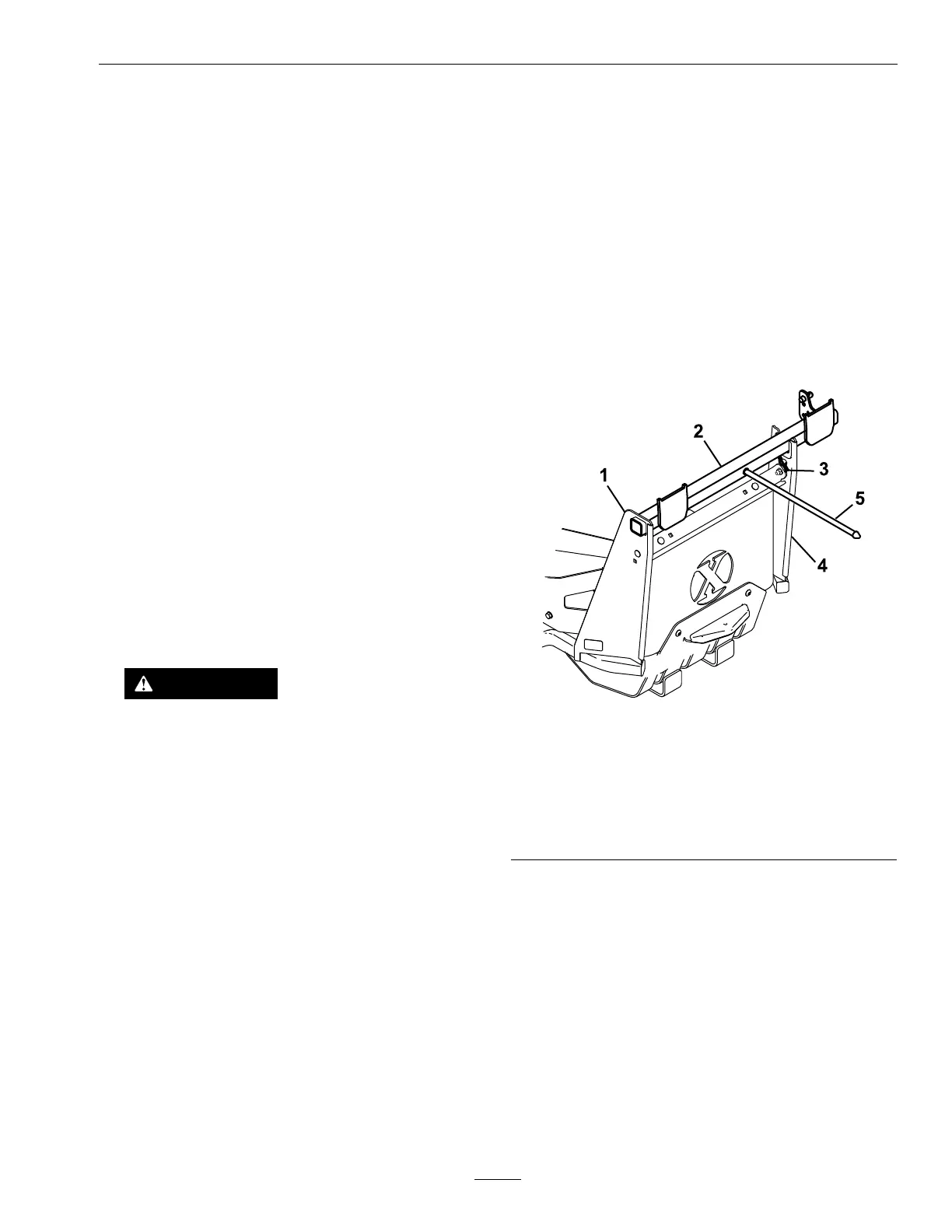
3.InsertthehopperframeintotheLHhopper
mountbracket.Resttheotherendofthehopper
framebetweenthetabsontheRHhoppermount
bracket.Installthehairpintosecurethehopper
frame.
Note:Ifthehopperframedoesnotseatproperly
inthemountbrackets,carefullyusethehopper
frametoslightlyadjustthealignmentofthe
brackets.Theframeisdesignedtoinitiallyttight
inthemountingbrackets.Itmaybenecessaryto
useamallettoinstall.
g190024
Figure8
1.LHhoppermountbracket
2.Hopperframe
3.Hairpin
4.RHhoppermountbracket
5.Holddownrod
4.Slidethehopperhingesontothehopperframe
pins.Makesurethesealispositionedaroundthe
bracketswherethebagsmount.
13


 To Next Page