EasyManua.ls Logo

Exmark COMMERCIAL 30 - User Manual

Exmark COMMERCIAL 30
44 pages
Print Icon
To Next Page IconTo Next Page
Loading...
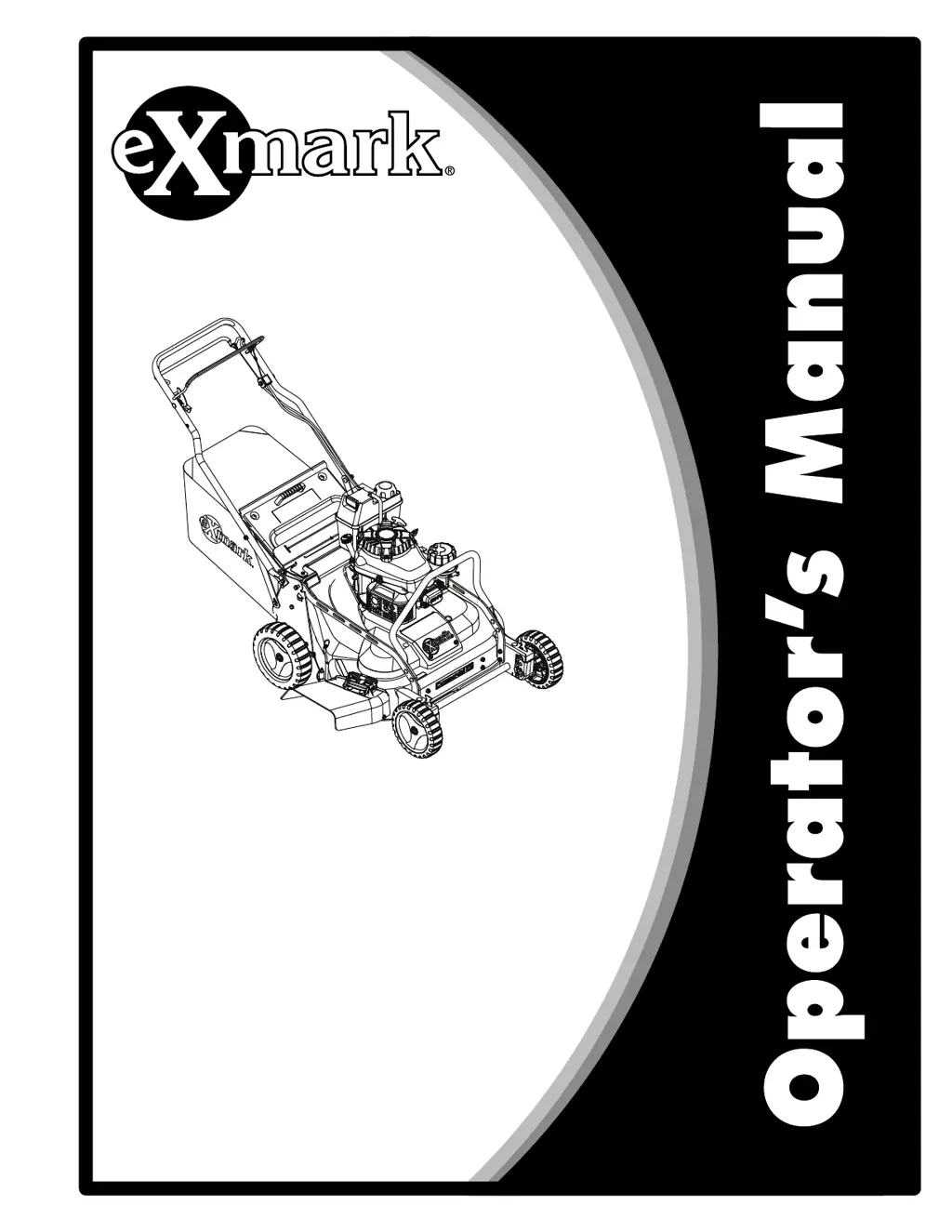
COMMERCIAL30
ForSerialNos.
408,644,346&Higher
PartNo.4505-171Rev.A

Other manuals for Exmark COMMERCIAL 30

Questions and Answers

  • W
    William WalshAug 14, 2025
    What to do if my Exmark COMMERCIAL 30 engine will not start?
    • M
      Michael Sheppard Jr.Aug 14, 2025
      If your Exmark Lawn Mower engine won't start, several factors could be the cause. First, check if the fuel tank is empty and fill it if needed. Ensure the fuel shutoff valve is open. Make sure the throttle-choke-engine stop control is in the correct position, which is usually the Choke position when starting. Also, inspect the spark plug wire connection and clean, adjust, or replace the spark plug if it's faulty. Finally, replace the fuel filter if it's dirty.
  • M
    morrisalishaAug 17, 2025
    Why does my Exmark COMMERCIAL 30 Lawn Mower engine lose power?
    • T
      Terry BurgessAug 18, 2025
      Several factors can cause your Exmark Lawn Mower's engine to lose power. A dirty air cleaner can restrict airflow, so clean or replace the air cleaner element. Low oil level in the crankcase can also cause power loss, so add oil as needed. Check the vent hose for blockages and clean or replace it if plugged. Replace the fuel filter if it's dirty. Finally, clean the underside of the lawn mower deck if it contains clippings and debris.
  • J
    Jonathan BishopAug 20, 2025
    How to fix an Exmark COMMERCIAL 30 Lawn Mower that runs rough?
    • R
      Rhonda BurnsAug 21, 2025
      If your Exmark Lawn Mower runs rough, start by ensuring the wire is securely connected to the spark plug. Inspect the spark plug itself and clean, adjust, or replace it if necessary. Confirm that the throttle-choke-engine stop control is in the Fast position. If the air filter element is dirty, clean the air filter pre-cleaner and/or replace the paper air filter. Lastly, replace the fuel filter if it's clogged with dirt.
  • N
    Natasha PearsonAug 25, 2025
    What causes an Exmark Lawn Mower to vibrate excessively?
    • G
      Gary SantosAug 25, 2025
      Excessive vibration in your Exmark Lawn Mower can stem from several issues. The blade(s) might be bent or out of balance, so balance or replace them. Check if the blade mounting bolt is loose and tighten it. Clean the underside of the lawn mower deck if it's full of clippings and debris. Also, tighten the engine mounting bolts. Finally, ensure that the engine pulley, idler pulley, or blade pulley are not loose and tighten the appropriate pulley. Install a new belt, if the old one is damaged.
  • A
    Andrew FrancoAug 27, 2025
    Why does my Exmark COMMERCIAL 30 have an uneven cutting pattern?
    • M
      Matthew HarrisonAug 27, 2025
      An uneven cutting pattern with your Exmark Lawn Mower can be due to a few reasons. Make sure all four wheels are at the same height. Sharpen and balance the blade(s) if they are dull. Try changing your mowing pattern. Additionally, clean the underside of the lawn mower deck to remove any accumulated clippings and debris.
  • C
    Colton EstradaAug 30, 2025
    What to do if the discharge chute plugs on my Exmark Lawn Mower?
    • W
      William JuarezAug 31, 2025
      If the discharge chute on your Exmark Lawn Mower keeps plugging, ensure the throttle-choke-engine stop control is in the Fast position. Also, raise the cutting height if you're cutting too much grass in one pass, and consider cutting a second time at a lower height if necessary. Avoid mowing too fast, and allow the grass to dry before mowing. Clean the underside of the lawn mower deck.
  • C
    Christopher CarrollSep 3, 2025
    Why does my Exmark Lawn Mower not self-propel?
    • J
      Justin ManningSep 3, 2025
      If your Exmark Lawn Mower isn't self-propelling, the self-propel drive cable may be out of adjustment or damaged; adjust or replace it as needed. Also, check for and remove any debris under the frame. Replace the belt if damaged.
  • J
    James HarrisSep 6, 2025
    What causes the blades not to rotate or slip on my Exmark COMMERCIAL 30 Lawn Mower?
    • S
      Steven MartinezSep 6, 2025
      If the blades on your Exmark Lawn Mower do not rotate or slip, the BBC belt or timing belt might be worn, loose, or broken. Adjust the BBC cable and timing belt tension, replacing them if necessary. Also, check if the BBC belt is off the pulley and inspect it for damage, replacing it if needed. Finally, ensure the BBC cable is not worn, loose, or broken, adjusting or replacing it accordingly.
  • A
    Alicia JohnsonSep 10, 2025
    What to do if blades contacting each other on Exmark COMMERCIAL 30 Lawn Mower?
    • N
      Nathan CoxSep 10, 2025
      If the blades on your Exmark Lawn Mower are contacting each other, it could be due to incorrect installation or alignment, so reinstall the blades. Another cause may be worn, loose, or broken blade adapters, which should be replaced. Additionally, a worn, loose, or broken timing belt can cause this issue, so re-time the blades and adjust the timing belt tension, replacing it if necessary. Finally, check if the timing sprockets or idler pulley are worn, loose, or broken, and replace them if needed.

Summary

Introduction

Before Operating Your Mower

Emphasizes the importance of reading the entire operator's manual before use to ensure safe and efficient operation.

Safety

Safety Alert Symbol

Explains the safety alert symbol used to identify important safety messages and warnings like DANGER, WARNING, and CAUTION.

General Safety

Provides fundamental safety rules for operating the mower, emphasizing caution with moving parts and bystanders.

Safety and Instructional Decals

Specifications

Engine

Details engine specifications including oil type, RPM, and references to the owner's manual for further information.

Fuel System

Provides information on fuel capacity, recommendations, and warnings regarding gasoline types and storage.

Dimensions

Lists key dimensions such as curb weight, overall width, and handle height settings for different cutting heights.

Operation

Product Overview

Provides a diagram and labels for the main components of the mower for easy identification.

Controls

Introduces the mower's controls and advises familiarization before starting the engine.

Blade Control Bail

Explains the function of the blade control bail in engaging and disengaging the mower blade based on operator presence.

Throttle-Choke-Engine Stop Control

Park Brake Lever

Fuel Shut-Off Valve

Before Operation

Before Operation Safety

Outlines essential safety checks and precautions to take before starting the mower.

Fuel Safety

Details critical safety procedures for handling gasoline to prevent fires and explosions.

During Operation Safety

General Safety

Provides safety guidelines for operating the mower, including awareness of surroundings and machine condition.

Slope Safety

Handle Adjustment

Open the Fuel Shut-Off Valve

Starting the Engine

Operating the Self-Propel Drive

Checking the Blade Brake Clutch

Adjusting the Cutting Height

Rear Wheel Adjustment

Instructions for adjusting the cutting height of the rear wheels using the height adjustment rod.

Front Wheel Adjustment

Installing the Grass Bag

Mowing with the Grass Bag

Removing the Grass Bag

Installing the Mulch Plug

Installing the Side Discharge Deflector

After Operation

General Safety

Safety guidelines to follow after completing operation, including parking and cooling procedures.

Transporting the Machine

Instructions and precautions for safely loading and transporting the lawn mower.

Maintenance

Maintenance Safety

Crucial safety precautions to observe before performing any maintenance or repair tasks on the mower.

Recommended Maintenance Schedule(s)

Periodic Maintenance

Engine Maintenance

Check Engine Oil Level

Step-by-step guide on how to check the engine oil level before each use.

Check the Mower Blade

Removing Mower Blades

Installing Mower Blades

Check for Loose Hardware

Check Air Filter

Service Air Filter

Change Engine Oil

Change Oil Filter

Check Condition Of Belts

Check the Blade Drive System

Change Blade Brake Clutch (BBC) Belt

Change Blade Drive Belt

Change Transmission Belt

Check Spark Plugs

Emptying the Fuel Tank and Cleaning the Fuel Filter

Change Fuel Filter

Adjustments

Adjusting the Self-Propel Drive

Guidance on adjusting the self-propel drive cable to correct issues with propulsion or creep.

Adjusting the Blade Brake Cable

Instructions for adjusting the blade brake cable for proper operation of safety mechanisms.

Adjusting the Transmission-For Models with Kawasaki Engine

Adjusting the Parking-Brake Cable

Cleaning

Cleaning and Storing Safety

Safety precautions to take when cleaning and preparing the mower for storage.

Clean Engine and Exhaust System Area

Procedure for cleaning debris from the engine and exhaust areas to prevent overheating and fires.

Clean Grass Build-Up Under Deck

Instructions for cleaning grass clippings and debris from the underside of the mower deck.

Cleaning the Discharge Tunnel and Plug

Cleaning Under the Belt Access Panel

Clean Debris From Machine

Waste Disposal

Motor Oil Disposal

Guidelines for the environmentally responsible disposal of used motor oil.

Storage

Preparing the Fuel System

Steps to prepare the fuel system for off-season storage, including emptying the tank.

Preparing the Engine

Procedures for preparing the engine for storage, including oil changes and spark plug maintenance.

General Storage Information

Tips for storing the mower, including cleaning, tightening fasteners, and touch-up paint.

Troubleshooting

Engine will not start, starts hard, or fails to keep running.

Lists common causes and corrective actions for engine starting and running issues.

Engine loses power.

Identifies potential causes for engine power loss and suggests solutions.

Engine runs rough.

Troubleshooting steps for an engine that is not running smoothly.

Discharge chute plugs.

Lawn mower does not self-propel.

Blades do not rotate or slip.

California Proposition 65 Warning Information

Exmark COMMERCIAL 30 Specifications

General IconGeneral
Cutting Width30 inches
Fuel TypeGasoline
Deck MaterialSteel
TransmissionHydrostatic
Drive SystemRear-wheel drive
Blade TypeSingle blade
Blade Tip Speed18, 500 fpm
Engine TypeCommercial-grade
Fuel Capacity1 gal
Cutting Height1.5 - 4.5 in
SpeedUp to 3.8 mph
EngineKawasaki FJ180V

Related product manuals