EasyManua.ls Logo

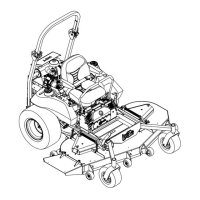
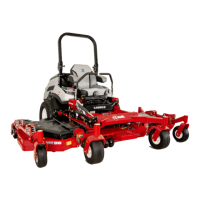
Exmark LAZER Z CT - User Manual

Exmark LAZER Z CT
52 pages
Print Icon
To Next Page IconTo Next Page
Loading...
For Serial Nos.
670,000 & Hi
g
he
r
Part No. 109-4136 Rev A.
For Exmark Mower Parts Call 606-678-9623 or 606-561-4983
www.mymowerparts.com

Other manuals for Exmark LAZER Z CT

Questions and Answers

  • F
    Frederick PowellAug 17, 2025
    Why won't my Exmark LAZER Z CT Lawn Mower starter crank?
    • N
      nancy05Aug 17, 2025
      If the starter on your Exmark Lawn Mower doesn't crank, it could be due to several reasons. First, ensure the PTO is disengaged and the parking brake is set. Also, make sure the drive levers are in the neutral lock position. If these aren't the issue, check if the battery has a full charge and charge it if necessary. Inspect the electrical connections for corrosion, looseness, or faults; clean the connector terminals thoroughly with electrical contact cleaner, apply dielectric grease, and reconnect. Finally, check the fuse and replace it if it's blown.
  • L
    Leah SchroederAug 21, 2025
    What to do if my Exmark LAZER Z CT Lawn Mower has uneven cutting height?
    • G
      garrett55Aug 21, 2025
      If your Exmark Lawn Mower has an uneven cutting height, several factors could be the cause. Start by sharpening the blades if they are not sharp. If the cutting blades are bent, install new ones. Ensure the mower deck is level from side-to-side and front-to-rear. Clean the underside of the mower deck if it's dirty. Also, verify and adjust the tire pressure in the drive tires. If the tips of adjacent blades are at an uneven cutting height, replace blades, spindles and (or) check for damage to mower deck.
  • R
    Rodney RojasAug 25, 2025
    Why does my Exmark LAZER Z CT engine lose power?
    • C
      christianochoaAug 25, 2025
      Your Exmark Lawn Mower engine might be losing power due to several reasons. The engine load could be excessive, so try reducing the ground speed. The air cleaner might be dirty, so clean or replace the air cleaner element. Check the oil level in the crankcase and add oil if it's low. Also, ensure the cooling fins and air passages for the engine are not plugged; remove any obstructions. Lastly, the vent hole in the fuel cap could be plugged, so clean or replace the fuel cap. Replace the fuel filter if it is dirty.
  • P
    petercarterAug 27, 2025
    Why is my Exmark Lawn Mower overheating?
    • J
      Jessica MillerAug 28, 2025
      If your Exmark Lawn Mower engine is overheating, it could be due to a few reasons. The engine load may be excessive, so try reducing the ground speed. Check the oil level in the crankcase and add oil if it's low. Also, make sure the cooling fins and air passages for the engine are clear of obstructions; remove any debris you find.
  • M
    matthew44Aug 31, 2025
    What to do if my Exmark LAZER Z CT blades do not rotate?
    • L
      Lisa LopezAug 31, 2025
      If the blades on your Exmark Lawn Mower do not rotate, check the belt tension if the drive belt is worn, loose, or broken. If the drive belt is off the pulley, install the drive belt and check adjusting shafts and belt guides for correct position. Install new deck belt if the deck belt is worn, loose or broken. Install deck pulley and check the idler pulley, idler arm and spring for correct position and function if the deck belt is off pulley. Replace the spring if the idler spring is broken or missing.
  • L
    Lawrence MolinaSep 3, 2025
    What to do if my Exmark LAZER Z CT Lawn Mower is vibrating abnormally?
    • T
      Terry WolfSep 3, 2025
      If your Exmark Lawn Mower is experiencing abnormal vibration, inspect the following: Replace the cutting blades if they are bent or unbalanced. Tighten the blade mounting bolt if it is loose. Tighten the engine mounting bolts if they are loose. Also, tighten the appropriate pulley if the engine pulley, idler pulley, or blade pulley is loose.
  • S
    Shannon GomezSep 6, 2025
    What to do if my Exmark LAZER Z CT machine does not drive?
    • A
      Aaron NelsonSep 7, 2025
      If your Exmark Lawn Mower isn't driving, start by tightening the bypass valve to ensure it is closed tight. If that doesn't solve the issue, inspect the drive or pump belt for wear, looseness, or breakage; change the belt if needed. Also, check if the drive or pump belt is off a pulley and change the belt. Replace the spring if the idler spring is broken or missing. Add hydraulic fluid to reservoir or let it cool down if the hydraulic fluid level is low or too hot.
  • T
    Tracey CobbSep 9, 2025
    What to do if my Exmark LAZER Z CT Lawn Mower pulls left or right?
    • B
      brandy31Sep 10, 2025
      If your Exmark Lawn Mower pulls to the left or right (with levers fully forward), it could be due to a few reasons. First, try adjusting the tracking. If that doesn't solve the problem, adjust the tire pressure in the drive tires. Finally, adjust the reverse indicator and the motion control linkage.
  • H
    Hannah FranklinNov 13, 2025
    What to do if my Exmark LAZER Z CT engine will not start?
    • L
      Lisa ColemanNov 13, 2025
      If your Exmark Lawn Mower engine won't start, starts hard, or fails to keep running, there are several potential causes. First, ensure the fuel tank isn't empty and the fuel shutoff valve is open. Check the oil level in the crankcase and add oil if it's low. For a cold engine, make sure the choke is in the “ON” position, or the “OFF” position for a warm engine and the throttle control is midway between the “SLOW” and “FAST” positions. Also, inspect and replace the fuel filter if it's dirty, clean or replace the air cleaner element if it's dirty, adjust the seat switch, check the spark plug wire connection, and clean, adjust or replace the spark plug if it's faulty. Check the electrical connections for good contact. Clean connector terminals thoroughly with electrical contact cleaner, apply...

Summary

SAFETY

SAFETY ALERT SYMBOL

Explains the meaning and use of the safety alert symbol and hazard warning words.

TRAINING

Stresses the importance of operator training and familiarization with instructions.

PREPARATION

Covers pre-operation checks, terrain evaluation, and necessary personal protective equipment.

OPERATION

Details safe operating practices, hazard avoidance, and specific operational warnings.

MAINTENANCE AND STORAGE

Provides essential guidelines for proper equipment maintenance and storage to ensure safety.

SAFETY SIGNS

Highlights the importance of maintaining legible safety signs and instructional labels.

SPECIFICATIONS

ENGINE

Details engine specifications, including RPM and reference to the engine owner's manual.

OPERATOR CONTROLS

Describes the function and operation of steering, PTO, brake, and deck lift controls.

HYDROSTATIC GROUND DRIVE SYSTEM

Specifies details of the hydrostatic pumps, wheel motors, oil, and speed capabilities.

CUTTING DECK

Provides specifications for cutting width, blade size, and cutting height adjustment.

TORQUE REQUIREMENTS

Lists critical torque specifications for assembly and maintenance fasteners.

OPERATION INSTRUCTIONS

CONTROLS

Explains the location and function of all operator controls for safe operation.

PRE-START

Outlines essential checks and procedures to perform before starting the mower.

MOWING

Details procedures for starting the engine, engaging PTO, mowing, and stopping the unit.

TRANSPORTING

Provides safety guidelines and instructions for transporting the mower by trailer or truck.

MAINTENANCE & ADJUSTMENTS

PERIODIC MAINTENANCE

Covers daily, weekly, monthly, and interval checks and cleaning schedules.

ADJUSTMENTS

Details procedures for adjusting cutting height, deck leveling, and brake linkage for optimal performance.

TROUBLE SHOOTING

MOWER CUTS UNEVENLY

Identifies causes and solutions for uneven grass cutting performance.

ENGINE WILL NOT START

Lists common problems and checks for an engine that fails to start.

WARRANTY

2-Year Limited Warranty

Details the terms, conditions, coverage, and responsibilities for the Exmark turf equipment warranty.

Exmark LAZER Z CT Specifications

General IconGeneral
BrandExmark
ModelLAZER Z CT
CategoryLawn Mower
LanguageEnglish

Related product manuals