EasyManua.ls Logo

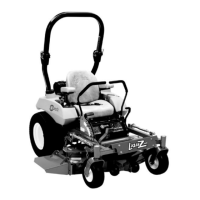
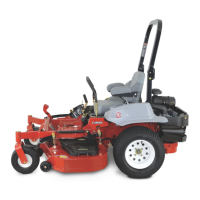
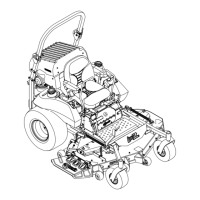
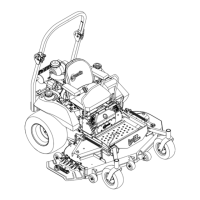
Exmark LAZER Z E Series - User Manual

Exmark LAZER Z E Series
76 pages
Print Icon
To Next Page IconTo Next Page
Loading...
LAZERZ®
ForSerialNos.
316,000,000&Higher
LazerZ(LZE,LZS,LZX)Units
PartNo.4502-754Rev.A

Table of Contents

Other manuals for Exmark LAZER Z E Series

Questions and Answers

  • D
    Douglas SolisAug 16, 2025
    Why won't my Exmark LAZER Z E Lawn Mower starter crank?
    • A
      Angela YorkAug 16, 2025
      If your Exmark Lawn Mower's starter isn't cranking, several factors could be at play. First, ensure the PTO is disengaged, the parking brake is set, and the drive levers are in the neutral lock position. A low battery charge can also prevent starting, so charge the battery. Check for corroded, loose, or faulty electrical connections, cleaning and reconnecting them as needed. A blown fuse could be the culprit, so replace it if necessary. If these steps don't resolve the issue, there may be a defective relay, switch, or faulty module, requiring professional service.
  • J
    jcolonAug 22, 2025
    What to do if my Exmark Lawn Mower does not drive?
    • T
      Thomas GreerAug 22, 2025
      If your Exmark Lawn Mower isn't driving, first ensure the drive release handle is in the 'operating' position. Check the drive or pump belt for wear, looseness, or breakage, and change the belt if necessary. Also, inspect the belt to ensure it is properly on the pulley. Look for broken or missing idler springs and replace them if needed. Lastly, verify that the hydraulic fluid level is adequate and not too hot; add fluid or allow it to cool down if necessary.
  • B
    Brian RomanAug 25, 2025
    Why does my Exmark LAZER Z E have an uneven cutting height?
    • B
      Brett LeonardAug 26, 2025
      An uneven cutting height on your Exmark Lawn Mower can be due to several factors. Start by sharpening dull blades or replacing bent ones. Ensure the mower deck is level from side-to-side and front-to-rear. Clean any dirt from the underside of the mower. Check and adjust the tire pressure in the drive tires to the correct levels. If the tips of adjacent blades are at an uneven cutting height, replace the blades, spindles, and check for damage to the mower deck. For a bent blade spindle, contact an Authorized Service Dealer.
  • S
    stevendavisAug 28, 2025
    How to stop abnormal vibration in my Exmark Lawn Mower?
    • D
      dwardAug 28, 2025
      To address abnormal vibration in your Exmark Lawn Mower, start by inspecting the cutting blades for bending or imbalance, and replace them if necessary. Tighten any loose blade mounting bolts and engine mounting bolts. Also, check for loose engine, idler, or blade pulleys and tighten them as needed. If the belt is damaged, install a new one. For issues like a damaged engine pulley or bent blade spindle, it's best to contact an Authorized Service Dealer.
  • E
    Elizabeth DaltonAug 31, 2025
    What causes the blades on my Exmark Lawn Mower to not rotate?
    • L
      Lisa HernandezAug 31, 2025
      If the blades on your Exmark Lawn Mower aren't rotating, the issue could stem from a worn, loose, or broken deck belt, requiring a replacement. Ensure the deck belt is properly installed on the clutch and deck pulleys, idlers, and tensioning idler according to the routing decal on the deck. Also, check for broken or missing idler springs and replace them if necessary. Verify that the drive belt is routed correctly, referring to the belt routing decal on the deck.
  • A
    Andrew ClarkSep 3, 2025
    What to do if the clutch will not engage on my Exmark LAZER Z E Lawn Mower?
    • L
      Lisa VargasSep 3, 2025
      If the clutch on your Exmark Lawn Mower won't engage, begin by checking for a blown fuse and replace it. Inspect the coil resistance, battery charge, charging system, and wiring connections, replacing them if necessary. Low voltage supply at the clutch can cause this issue, so check the same components. If the coil is damaged, the clutch will need to be replaced. Inadequate current supply can also be a factor; repair or replace the clutch lead wire or electrical system, and clean the connector contacts. Lastly, if the rotor/armature airgap is too large, remove a shim or replace the clutch.
  • J
    jeffersontammySep 6, 2025
    Why does my Exmark LAZER Z E Lawn Mower pull left or right?
    • K
      Keith CarterSep 6, 2025
      If your Exmark Lawn Mower pulls to the left or right even when the levers are fully forward, the tire pressure in the drive tires may not be correct. Adjust the tire pressure in the drive tires to resolve this issue.
  • D
    Donald BartonSep 9, 2025
    What does it mean if the oil temperature light is on and engine RPM is low on my Exmark LAZER Z E Lawn Mower?
    • K
      Kyle BaldwinSep 9, 2025
      If the oil temperature light is illuminated and the engine RPM is low on your Exmark Lawn Mower, the Engine Control Unit may have limited engine RPMs, known as 'limp' mode. Check the oil level. If the level is above 'add', contact an Authorized Service Dealer.
  • K
    kmarquezSep 12, 2025
    What does it mean if the oil pressure light is on and engine RPM is low on my Exmark Lawn Mower?
    • P
      palmerjacquelineSep 12, 2025
      If the oil pressure light is on and the engine RPM is low on your Exmark Lawn Mower, the Engine Control Unit has likely limited engine RPMs, which is known as 'limp' mode. Let the engine cool down and check the oil level. If the level is above the 'add' mark, contact an Authorized Service Dealer.
  • S
    Stephanie LozanoNov 18, 2025
    How to fix Exmark LAZER Z E Lawn Mower if engine will not start?
    • C
      Carl CollinsNov 18, 2025
      If your Exmark Lawn Mower engine won't start, starts hard, or fails to keep running, begin by checking the fuel tank to ensure it's not empty and that the fuel shutoff valve is open. Verify the oil level in the crankcase and add oil if needed. Make sure the throttle and choke are correctly positioned. Inspect the fuel filter for dirt and replace it if necessary. Also, examine the air cleaner for dirt and clean or replace the element. Check the seat switch indicator and replace the seat if necessary. Ensure the spark plug wire is connected and the spark plug isn't faulty; clean, adjust, or replace it as needed. Finally, check for corroded, loose, or faulty electrical connections, cleaning and reconnecting them. If the MIL illuminates and blinks, or if these steps don't resolve the issue, it...

Summary

Introduction

Safety

Safety Alert Symbol

Explains hazard symbols and warning terms (Danger, Warning, Caution).

Safe Operating Practices

Covers training requirements and preparation for safe operation.

Fueling Safety Precautions

Details hazards and precautions associated with gasoline handling and fueling.

Roll Bar and General Operation Safety

Covers safety precautions related to the roll bar, hot parts, and general operation.

Slope Operation Safety

Provides guidelines and warnings for operating the mower on slopes.

ROPS and Maintenance Safety

Details ROPS safety measures and procedures for maintenance/storage safety.

Electrical and Hydraulic Safety

Addresses safety concerns regarding electrical systems, sparks, and hydraulic fluid.

Decal Interpretation and Indicators

Emphasizes safety decals and explains various indicators and warnings.

Operational Hazard Warnings

Illustrates and explains various indicators, fuses, and warnings on the control panel.

Thrown Object and Cutting Hazards

Warns about thrown object hazards and cutting/dismemberment risks.

Message Display and Ramp Safety

Explains message display indicators and operational hazards like ramps.

Specifications

Engine and Fuel System Specs

Details engine type, oil, RPM, fuel capacity, and recommendations.

Electrical System and Safety Interlocks

Outlines electrical components and safety interlock functions.

Operator Controls and Seat Specs

Introduces operator controls and details seat specifications.

Hydrostatic Drive, Speeds, and Tires

Covers hydrostatic drive, speed ranges, and tire/wheel specifications.

Caster, Deck, and Blade Specs

Lists front caster, cutting deck, and blade specifications.

Dimensions

Provides detailed measurements for width, height, length, tread, and wheel base.

Curb Weight and Torque Requirements

Lists curb weights and torque specifications for assembly and maintenance.

Operation

Product Overview and Controls

Illustrates key components and introduces control systems.

Motion Control and Throttle Operation

Explains motion control levers and throttle control for engine speed.

Ignition, Brake, and Indicators

Explains ignition switch, parking brake, and hour meter functions.

Drive Wheel Valves and Fuel System

Details drive wheel release valves, fuel shut-off, and fuel gauge.

PTO Engagement and Deck Controls

Instructions for PTO engagement, deck lift pedal, transport lock, and warning lights.

Pre-Start Procedures and ROPS

Outlines pre-start checks and ROPS raising instructions.

Starting, Engaging PTO, and Stopping

Step-by-step guides for starting, engaging PTO, and stopping the engine.

Machine Driving and Turning

Guidance on operating motion control levers for driving and turning.

Cutting Height and Roller Adjustments

Details adjusting cutting height and anti-scalp rollers.

Seat, Bumper, and Shock Adjustments

Covers seat suspension, side bumper, and shock assembly adjustments.

Loading and Transporting

Provides instructions and precautions for loading and transporting the mower.

Maintenance

Recommended Maintenance Schedule

Outlines maintenance tasks and their recommended service intervals.

Periodic Maintenance Checks

Details routine checks like engine oil, battery, and tire pressure.

Jump Starting and Blade Maintenance

Provides procedures for jump-starting and checking mower blades.

Safety System and Hardware Checks

Details checks for safety interlocks, ROPS knobs, seat belt, and loose hardware.

Filter, Oil, and Belt Maintenance

Instructions for servicing air filters, changing engine oil, and checking belts.

Hydraulic System and Lubrication

Procedures for checking hydraulic oil, tire pressures, and lubricating fittings.

Pivot, Spark Plug, and Fuel Filter Maintenance

Instructions for lubricating pivots, checking spark plugs, and changing fuel filters.

Hydraulic System Filter;Fluid Change

Details the process for changing hydraulic fluid and filters.

Spark Arrester and Adhesives

Instructions for checking spark arresters and use of thread locking adhesives.

Deck Leveling and Adjustment

Provides steps for leveling the mower deck and initial adjustments.

Cutting Height and Roller Adjustments

Details fine-tuning deck lift for cutting height and adjusting anti-scalp rollers.

Parking Brake and Clutch Adjustments

Instructions for adjusting parking brake and electric clutch.

Motion Control System Adjustments

Explains adjustments for motion control linkage, damper, pivot, and handle.

Cleaning Procedures

Instructions for cleaning engine, hydro systems, machine, and deck.

Suspension System and Waste Disposal

Notes on cleaning suspension and guidance on waste disposal.

Troubleshooting

Starting and Engine Performance Issues

Lists common problems, causes, and fixes for starting and engine issues.

Driving and Cutting Performance Issues

Covers driving problems, uneven cutting, vibration, and blade issues.

Clutch Engagement Troubleshooting

Details troubleshooting steps for clutch engagement problems.

Schematics

Electrical Diagrams

Wiring diagrams for various engine types (Non-Kohler EFI, Kohler EFI, Red Equipped, Kawasaki, Kohler Carburated).

Logic Schematics

Logic schematics for Kawasaki and Kohler engine models.

Hydraulic Diagram

Diagram illustrating the hydraulic system components and flow.

Warranty Information

Commercial and Consumer Warranty

Details warranty conditions for commercial and residential use.

Warranty Exclusions and Service

Lists exclusions, owner responsibilities, and how to obtain service.

Service Record

Exmark Accessories and Options

Riding Mower Accessories

Lists accessories for mid-mount and out-front riding mowers.

Walk-Behind Mower Accessories

Lists accessories for walk-behind mowers.

Exmark LAZER Z E Series Specifications

General IconGeneral
Engine BrandKawasaki
TransmissionHydro-Drive
Deck ConstructionFabricated
Deck Material10-gauge steel
Turning RadiusZero
Cutting Width52, 60, 72 inches
CategoryCommercial
TypeZero-Turn
Engine Type4-cycle, V-Twin
Engine OptionsKawasaki
SpeedUp to 10 mph forward, 5 mph reverse
Warranty5-year limited
Horsepower23.5 - 27
Cutting Height1.0 - 5.0 inches in 0.25 inch increments

Related product manuals