EasyManua.ls Logo

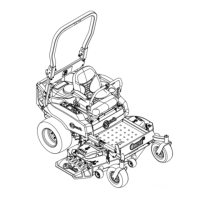
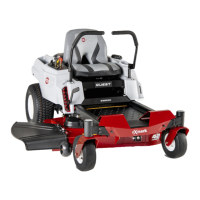
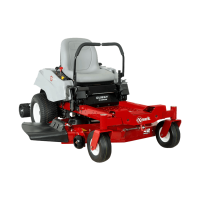
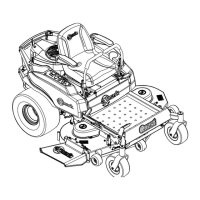
Exmark QUEST - User Manual

Exmark QUEST
64 pages
Print Icon
To Next Page IconTo Next Page
Loading...
QUESTâ„¢
ForSerialNos.
312,000,000&Higher
PartNo.4501-191Rev.A

Table of Contents

Other manuals for Exmark QUEST

Questions and Answers

  • T
    Theresa RichardsonJul 26, 2025
    Why is my Exmark Lawn and Garden Equipment engine overheating?
    • C
      Craig JacobsonJul 26, 2025
      If the engine of your Exmark Lawn and Garden Equipment overheats, it might be due to several reasons. First, the engine load could be excessive, in which case you should reduce ground speed. Second, check if the oil level in the crankcase is low and add oil if needed. Third, inspect the cooling fins and air passages under the engine blower housing for any obstructions and remove them. Also, a dirty air cleaner can cause overheating, so clean or replace the air cleaner element.
  • W
    wpriceJul 30, 2025
    Why won't my Exmark Lawn and Garden Equipment engine start?
    • S
      Steven HermanJul 30, 2025
      Your Exmark Lawn and Garden Equipment engine might fail to start, start hard, or not keep running due to several reasons. First, ensure the fuel tank isn't empty and fill it if necessary. Second, make sure the choke is on. Third, a dirty air cleaner can cause issues, so clean or replace it. Fourth, check the spark plug wire(s) and ensure they are properly connected. Fifth, inspect the spark plug(s); if pitted, fouled, or incorrectly gapped, replace them. Also, check the fuel filter for dirt and replace if needed. Finally, make sure the oil level in the crankcase is sufficient, adding oil if low.
  • D
    Douglas KellyAug 3, 2025
    What to do if my Exmark Lawn and Garden Equipment starter does not crank?
    • R
      rachel80Aug 3, 2025
      If your Exmark Lawn and Garden Equipment starter doesn't crank, check the following: 1. Ensure the blade control switch is disengaged. 2. Verify the motion control levers are in the park position. 3. Make sure you are seated on the seat. 4. Check if the battery has a full charge. 5. Inspect the electrical connections for good contact. 6. Replace the fuse if it's blown.
  • A
    Allison BurtonAug 7, 2025
    Why is my Exmark Lawn and Garden Equipment engine losing power?
    • M
      marksantiagoAug 7, 2025
      If your Exmark Lawn and Garden Equipment engine is losing power, there are several potential causes. First, the engine load may be excessive, so reduce the ground speed. Second, check the air cleaner and clean or replace it if it's dirty. Third, ensure the oil level in the crankcase is adequate and add oil if needed. Fourth, inspect the cooling fins and air passages for obstructions and remove them. Fifth, examine the spark plug(s) and replace them if they are pitted, fouled, or incorrectly gapped. Finally, check the fuel filter for dirt and replace it if necessary.
  • D
    Daniel HillAug 12, 2025
    How to fix abnormal vibration in my Exmark Lawn and Garden Equipment?
    • J
      Joshua BellAug 12, 2025
      If you notice abnormal vibration in your Exmark Lawn and Garden Equipment, start by tightening the engine mounting bolts. Next, check for any loose engine pulley, idler pulley, or blade pulley and tighten the appropriate pulley. If the cutting blade(s) is/are bent or unbalanced, install new cutting blade(s). Also, ensure the blade is not loose by tightening the blade mounting bolt and inspecting the blade spring disc washer for damage.
  • C
    carlaharrisAug 16, 2025
    Why does my Exmark Lawn and Garden Equipment have an uneven cutting height?
    • J
      Jennifer McleanAug 16, 2025
      If your Exmark Lawn and Garden Equipment is producing an uneven cutting height, make sure the blade(s) are sharp. If the cutting blade(s) is/are bent, install new cutting blade(s). If a blade is loose, tighten the blade mounting bolt and inspect the blade spring disc washer for damage. Ensure the mower deck is level from side-to-side and front-to-rear. Check that the anti-scalp wheel is set correctly and adjust the anti-scalp wheel height. Clean the underside of the mower if it is dirty. Finally, adjust tire pressure to correct level.
  • T
    Tanya CarrilloAug 21, 2025
    What to do if Exmark Lawn and Garden Equipment blades do not rotate?
    • P
      Paul StevensAug 21, 2025
      If the blades of your Exmark Lawn and Garden Equipment do not rotate, install a new drive belt if the current one is worn, loose, or broken. Also, install the drive belt and check adjusting shafts and belt guides for correct position if the drive belt is off the pulley. Finally, install a new mower belt if the current one is worn, loose, or broken.

Summary

Exmark Quest Operators Manual

Safety

Safety Alert Symbol and Practices

Explains safety symbols and safe operating practices for user protection.

Slope, Children, and Towing Safety

Covers critical safety aspects for slopes, children, and towing operations.

Exmark Riding Mower Specific Safety

Highlights safety information specific to Exmark riding mowers beyond general standards.

Safety and Instructional Decals

Hazard Symbols, Controls, and Height Indicators

General Hazard, Safety, and Battery Symbols

Specifications

Operation

Safe Operation Zones and Slope Awareness

Emphasizes safety zones and precautions for operating on slopes.

Starting the Engine Procedure

Step-by-step guide for starting the mower's engine.

Stopping the Engine Safely

Procedure for safely shutting down the engine and machine.

Safety Interlock System

Explains the safety interlock system and how to test its functionality.

Driving Forward and Backward Operation

Instructions for operating the mower in forward and reverse directions.

Stopping the Machine and Adjusting Cut Height

Procedure for stopping the machine and adjusting the cutting height.

Maintenance

Maintenance Warnings and Schedule

General maintenance warnings and a recommended service schedule.

Changing Engine Oil and Filter

Detailed procedure for changing the engine oil and filter.

Electrical System Maintenance

Safety precautions and steps for removing the mower battery.

Battery Charge Check and Jump Starting

Procedure for checking battery charge and recommended jump starting methods.

Hydraulic System Filter and Oil Change

Steps to remove hydraulic system filters for replacement.

Bleeding the Hydraulic System

Procedure to remove air from the hydraulic system after servicing.

Cutting Blade Servicing and Inspection

Guidance on servicing and inspecting mower cutting blades for sharpness and damage.

Blade Installation and Mower Deck Leveling

Procedure for installing blades and initial side-to-side deck leveling.

Storage Procedures

Machine Cleaning and Long-Term Storage

Comprehensive steps for cleaning and preparing the mower for storage.

Troubleshooting

Engine Starting and Running Issues

Troubleshooting common problems related to engine starting and running.

Schematics

Electrical System Diagram

Visual representation of the mower's electrical system wiring.

Electrical Logic Schematic with Wire Codes

Diagram illustrating the electrical logic and wire color codes.

Exmark Warranty Information

Exmark QUEST Specifications

General IconGeneral
TransmissionHydrostatic
Drive System2WD
Deck ConstructionFabricated
Fuel TypeGasoline
TypeZero-Turn
Deck MaterialSteel
Warranty3 years

Related product manuals