Werner Schnorrenberg - DC4KU www.dc4ku.darc.de 06.11.2021
4
background.
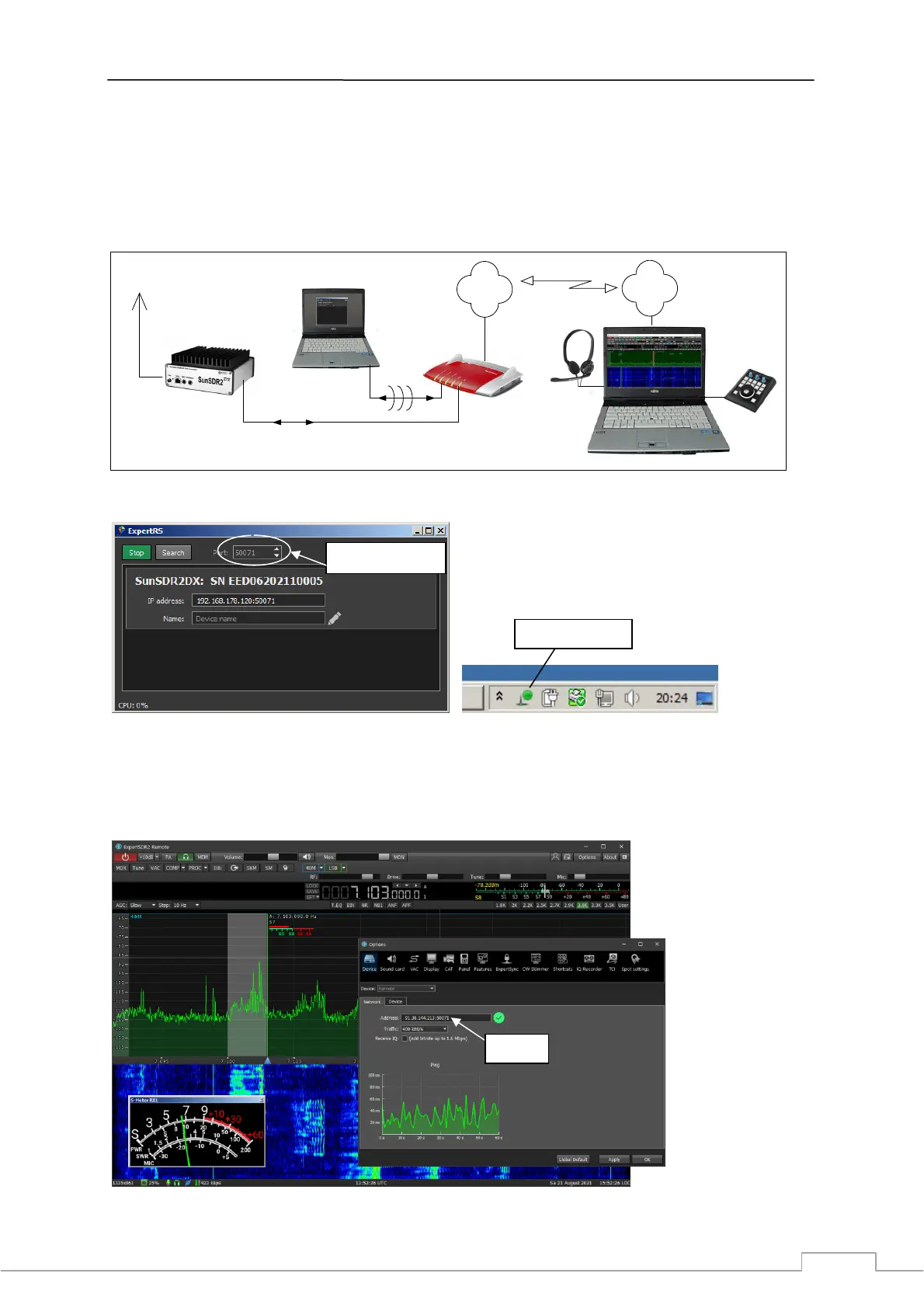
In order for the transmission to the Internet to work, the Server-PC needs a "Port Forwarding". To-do
this, open the router, go to Internet -> Release and release ports 50071 to 50073 (data and audio) on
the Server-PC via TCP and UDP. Then open "ExpertRC" on the Client-PC, select Options -> Device and
enter the public IPv4 address of the router and the port of the SunSDR2 DX, in the example:
92.36.144.213:50071 (Fig. 8).
E-Coder
Audio
USB
Internet
Router
LAN
LAN/WLAN
Server-PC
ExpertRS
Client-PC
ExpertRC
DSL
Internet
DC4KU
Figure 6: SunSDR2 DX on the internet
Figure 7: ExpertRS started (left) and server marked at the bottom of the PC screen (right)
Finally, the SunSDR2 DX can be remotely controlled from anywhere in the world via the Internet (Fig.
8). The access works under LAN, WLAN and LTE (3G, 5G) with a selectable traffic from 70kbit/s to
over 1MBit/s and a sample rate from 39062 to 312500Hz.
Figure 8: After entering the URL, the SunSDR2 DX can be reached worldwide via the Internet.
fill in Port 50071
activated Server
address



 To Next Page