22
Taking measurements
Taking a reading
Please also refer to the flowchart in Figure 5 on page 20. You
are ready to take a reading, if your display shows the following
screens. Otherwise please select
P
IN
mode as shown on page 17:
r: P
L: P
or
1
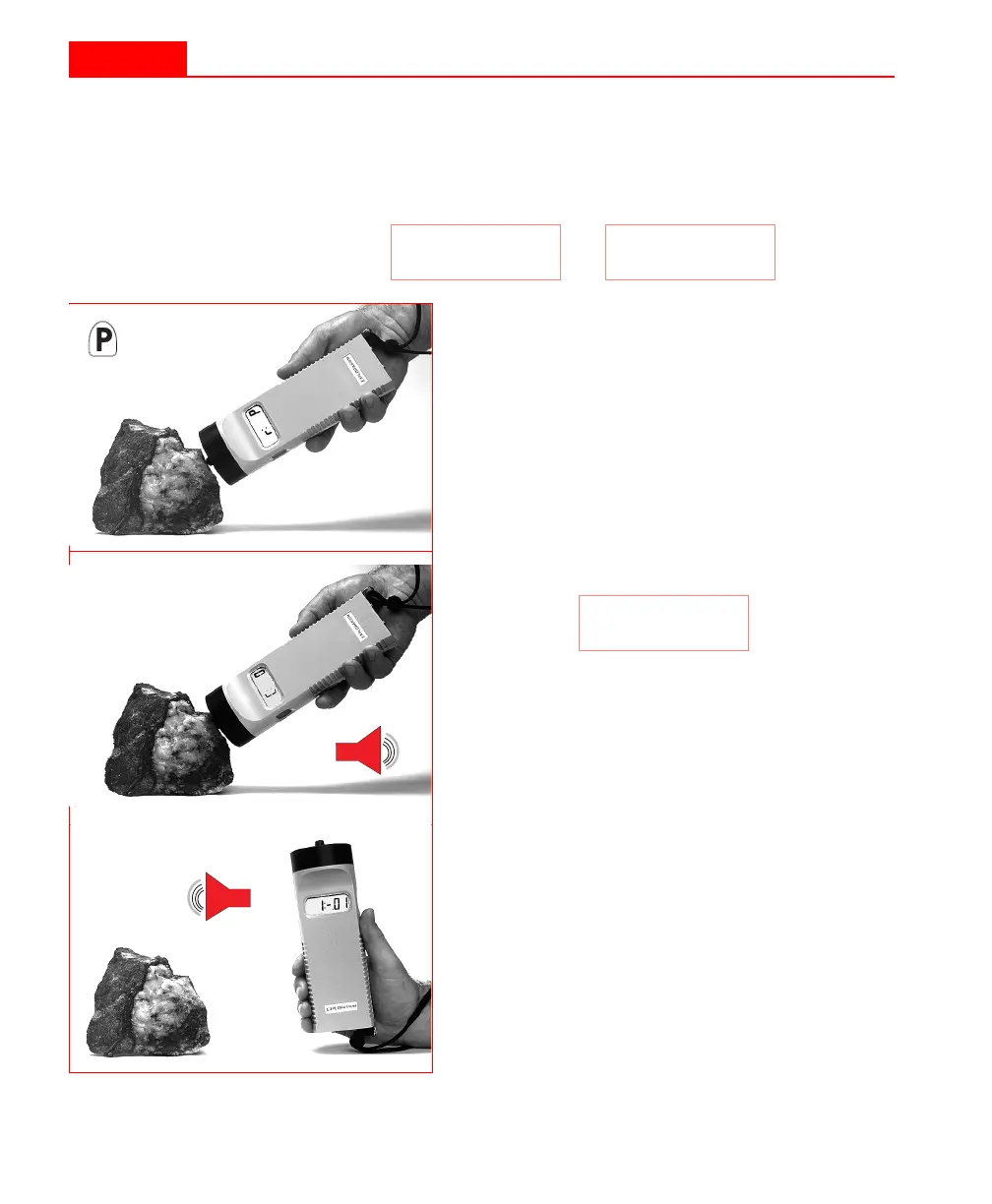
Press the
P
IN
firmly against the sample as
shown in the adjacent illustration.
2
The display will show:
If the value is not
0
, then you have old
data in memory that should be cleared.
Please refer to “Clearing the memory”
on page 37 on how to clear the memory.
3
The internal buzzer will beep.
4
Remove the KT-9 from the sample (and
at least 30 cm away from any other mag-
netically susceptible material) to get the
zero or free-air value.
5
After a 1 to 2 second interval, a beep
will sound to indicate that the measure-
ment is complete and the value will be
displayed.
C: 0
22
Taking measurements
Taking a reading
Please also refer to the flowchart in Figure 5 on page 20. You
are ready to take a reading, if your display shows the following
screens. Otherwise please select
P
IN
mode as shown on page 17:
r: P
L: P
or
1
Press the
P
IN
firmly against the sample as
shown in the adjacent illustration.
2
The display will show:
If the value is not
0
, then you have old
data in memory that should be cleared.
Please refer to “Clearing the memory”
on page 37 on how to clear the memory.
3
The internal buzzer will beep.
4
Remove the KT-9 from the sample (and
at least 30 cm away from any other mag-
netically susceptible material) to get the
zero or free-air value.
5
After a 1 to 2 second interval, a beep
will sound to indicate that the measure-
ment is complete and the value will be
displayed.
C: 0



 To Next Page