5. Press [ ] button to confirm setting and enter to next parameter.
6. Sequence of setting: Year (2004-2054) Month Date 7 Languages Week Display
12/24HR Time Zone Hour Minute Exit
7. If there is no action in 30 seconds or If you press [ ] button, the setting will be saved and
you will exit the setting mode.
°C/°F SETTING
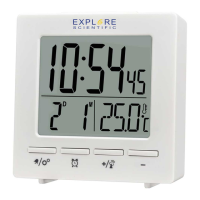
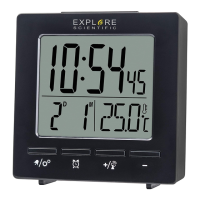
Press [▼ ] button to switch Celsius (°C) / Fahrenheit (°F).
ALARM
SETTING/ADJUSTING ALARM TIME
1. Press and hold [ ] button to enter alarm setting mode.
2. The setting parameter will flash.
3. Sequence of setting: Alarm 1 Hour Alarm 1 Minute Alarm 2 Hour Alarm 2 Minute Exit
4. Press [ ▲ ] or [ ▼ ] button to set the desired data.
5. Press [ ] button to confirm setting and exit.
6. Alarm will turn on automatically when alarm setting is finished.
TURN ON/OFF ALARM
Press [ ] to check the alarm time. Sequence of display: Alarm 1 Alarm 2
While in alarm time checking mode, press the [ ▲ ] button to turn on/off the Alarm 1 or Alarm 2.
8


 To Next Page