12
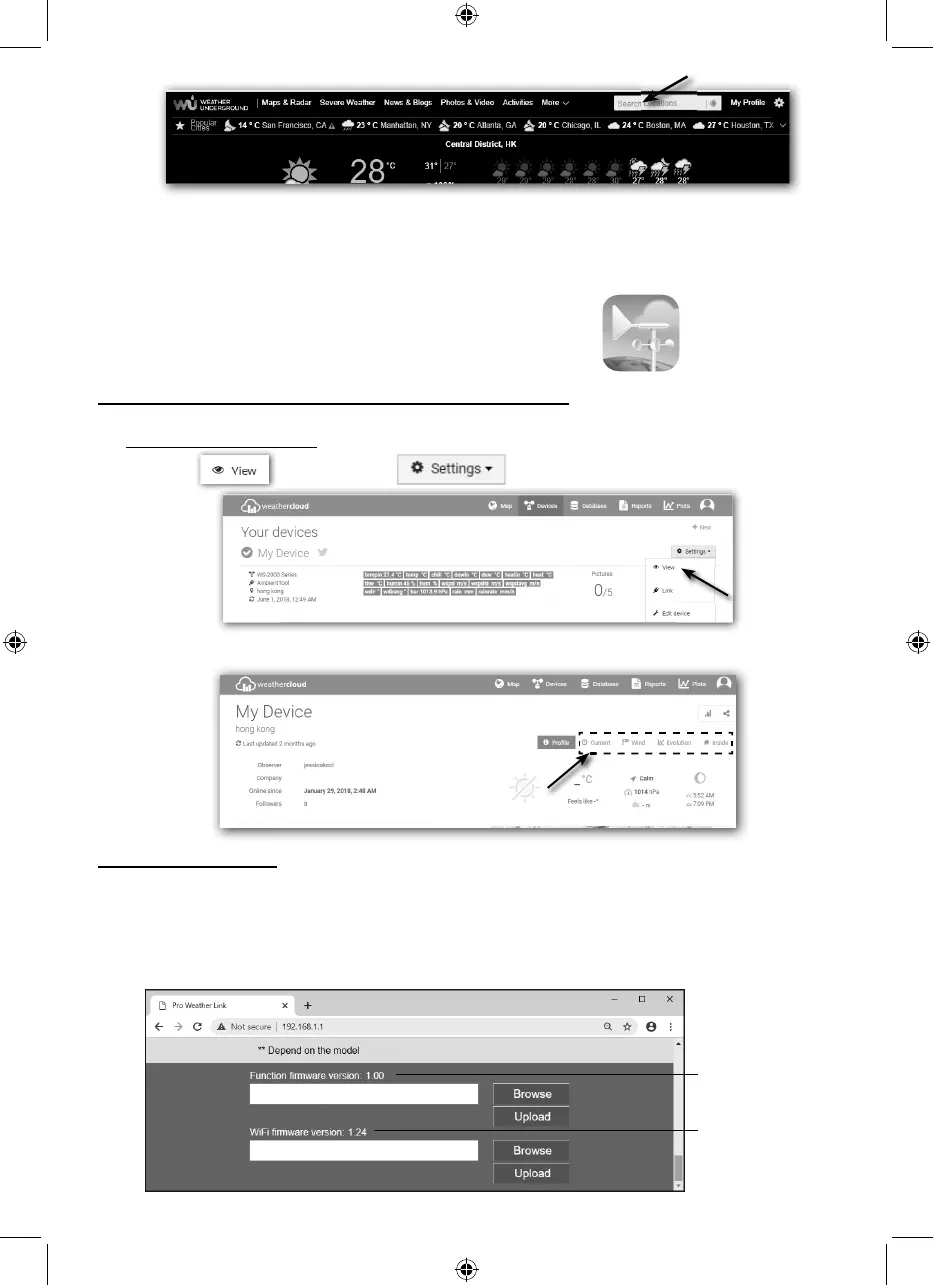
Another way to view your station is use the web browser URL bar, type below in the URL bar:
https://www.wunderground.com/dashboard/pws/XXXX
Then replace the XXXX by your Weather underground station ID to go to your station live view
directly.
You can also use the Apple ipad's "WunderStation" app to
login your own weather station to view the live data.
WunderStation
VIEWING YOUR WEATHER DATA IN WEATHERCLOUD
1. To view your weather station live data in a web browser (PC or mobile version), please visit
https://weathercloud.net and sign in your own account.
2. Click the
icon inside the pull down menu of your station.
3. Click "Current", "Wind", "Evolution" or "Inside" icon to view the live data of your weather
station.
FIRMWARE UPDATE
The console supports OTA rmware update capability. Its rmware may be updated over the
air anytime (whenever necessary) through any web-browser on a PC with WI-FI connectivity.
Update function, however, is not available through mobile/smart devices.
Two types of rmware updates are available, namely Function Firmware and System WI-FI
Firmware, and are located at the bottom of ADVANCED page.
Current Function
firmware version
Current WI-FI
firmware version



 To Next Page