C-12 CRUSHER
5:- Press button "Tracks On"Jacking legs fully raised
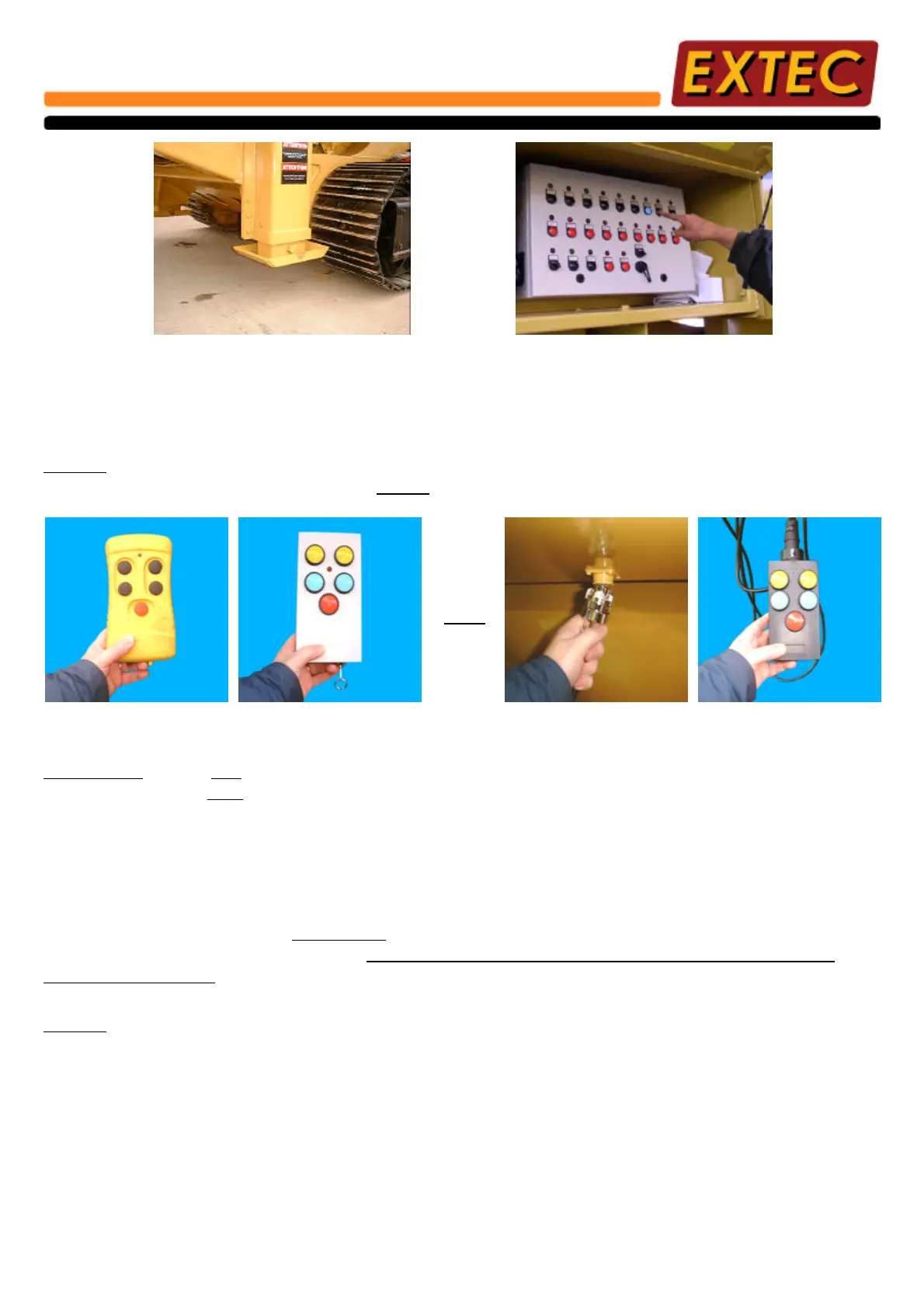
After following instructions on the previous page, use either the Remote handset or Hard Wire Drive to move
machine to desired position.
NOTE:- The Remote Handset will be supplied as either yellow or white (Not Both) and must be fully
recharged at regular intervals. PLEASE use the correct instructions for your type of controller.
Plug in Umbilical socket for
Hard wire drive.
Yellow Remote Handset.
WARNING:- Under NO circumstances try to move the machine when engine speed is set at position No.2 or
when ANY personnel are standing on the machine.
For safety reasons, it is essential to check all around machine for obstacles or personnel which may be endangered by
moving the machine.
When moving machine, ensure that it is only moved over firm ground suitable for carrying the weight of the machine.
Prior to operating the machine, it is ESSENTIAL that both tracks are in contact with firm level ground to avoid
excessive vibration or rocking of the machine. DO NOT MOVE THE MACHINE ACROSS EXCESSIVELY
SLOPING GROUND.
NOTE:- i) When operating the Yellow Remote Handset, the directional arrows relate to the machines forward
& reverse movement.
ii) When operating the White Remote Handset, the yellow buttons are for forward movement and the
blue ones for reverse. (These correspond to direction indicator stickers on machine)
iii) When operating the Hard Wire Handset, the yellow buttons are for forward movement and the blue
ones for reverse. (These correspond to direction indicator stickers on machine)
When the machine is moved to its desired operating position, prepare the crusher for operation by following the
procedures laid out in the following pages.
White Remote Handset.
OR
Hard Wire Handset.
14



 To Next Page