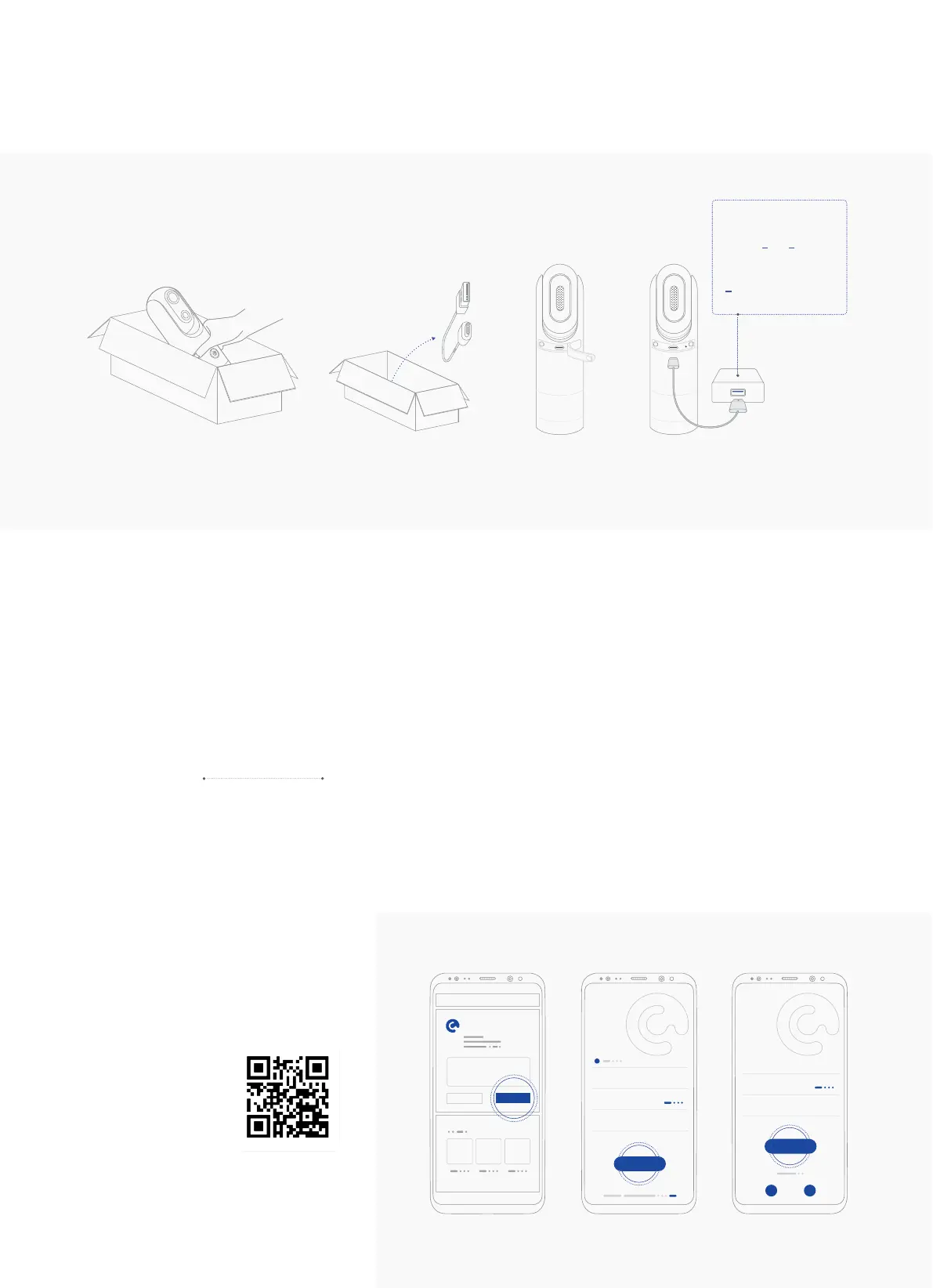
II. Set-Up eyecloudCam
1. Charge your eyecloudCam
1. Get the camera out of the box.
2. Get the USB Cable from the package
3. Open the rubber cover of the Data Interface on the Camera Body.
4. Use the USB cable to charge the battery.
2A
21
3
4
>
4.75
V 5.25V
V
< <
Around 6 hours Fully charged
Charging Time
Voltage:
Current:
INSTALL
eyecloudCam
1
2
E-mail Address
E-mail Code
Type Password
Register
Hi
Welcome to your
smart home
3
E-mail Address
Password
E-mail Code
Sign In
Hi
Welcome to your
smart home
2. Get the App
1. Download the app via App Store or
Google Play
2. Register with your email address
3. Log in
6
1 2 3
Or direct download
on your smartphone



 To Next Page