15
PLEASE REGISTER TO ACTIVATE YOUR PRODUCT’S WARRANTY.
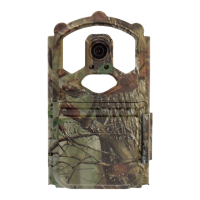
RED WALK TEST MODE: The redwalktestlight on your Storm
is used to help determine that your camera is set at the proper height and is
pointed in the right direction. The redwalktestlight can only be activated
by a combination of heat and motion. After 90 seconds the walk test becomes
inactive and will not be seen until the user wakes the camera up again.
NOTE: Your camera will still be able to record images during those 90 seconds
if the delay settings are set to less than 90 seconds.



 To Next Page