6
PLEASE REGISTER TO ACTIVATE YOUR PRODUCT’S WARRANTY.
BATTERY INSTALLATION:
IF USING CCELL BATTERIES
1. Turn batterydoor lock to open position to release door located on the
bottom of the camera.
2. Insert (3) C-cellbatteries, negative (–) side inserted rst into one side.
3. Close the batterydoor and position lock to locked position.
4. Repeat on opposite side.
IF USING EYECON
™
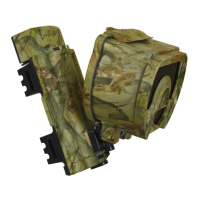
EXTENDALIFE BATTERY PACK
1. Remove plastic plug on the back side of the camera. NOTE: Save this plug
for future use. It should ALWAYS be in position when the Extenda-Life
Battery Pack is not being used.
2. Insert Extenda-LifeBatteryPack by sliding it into position until it “clicks”
into place.



 To Next Page