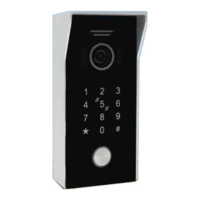
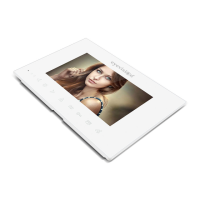
Setting the unlock time for H298 (Non Keypad) and H304 Apartment outdoor station
Setting the system to apartment mode (Disable intercom call feature)
Setting the system to home mode (Enable intercom call feature)
This procedure is performed from the standby state and will need to be set on all monitors in the
installation.
The default setting is one second (pulse).
1. Press and hold the talk key on the monitor til a ding dong is heard.
2. Press the unlock key the number of times you would like to set the unlock time too.
example: 5 presses would equal 5 second or 10 presses would equal 10 seconds.
3. Press the talk key once to confirm and save the new setting
This procedure is performed from the standby state and will need to be set on all monitors in the
installation.
The default setting is intercom enabled (home mode) which is not suitable for apartments.
Press and hold the unlock key on the monitor til a long beep is heard this confirms the unit is in
apartment mode.
After completing this procedure on all indoor monitors wait for 30 seconds after final monitor is
completed the turn off the power to the system and then back on to restart.
This is the default setting of any monitor and does not require adjustment for a home system.
This procedure is performed from the standby state and will need to be set on all monitors in the
installation.
The default setting is intercom enabled (home mode) which is not suitable for apartments.
Press and hold the unlock key on the monitor til a Di Di is heard this confirms the unit is in home
mode.
After completing this procedure on all indoor monitors wait for 30 seconds after final monitor is
completed the turn off the power to the system and then back on to restart.
Page 14



 To Next Page