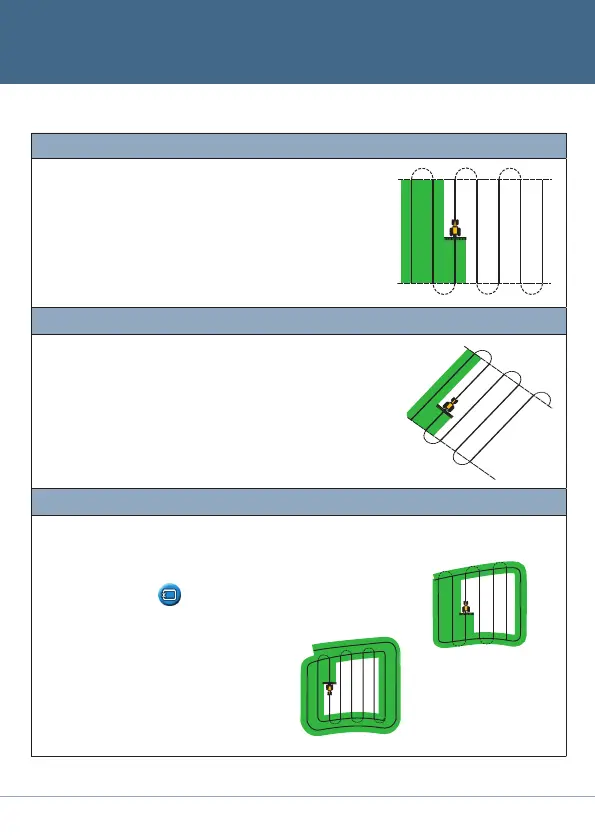
AB Line
Map a straight AB line for guidance.
Set the A point at the start of the line and the B point at the end.
A+
Set the A point to create the line.
The heading of the AB Line equals the manually entered heading
(defaults to previous AB heading).
Headland
Straight swaths automatically fill the headland boundary.
Enter the number of headland circuits you want before you start
defining the field.
Start the headland, define the internal guidance line, and then return
to the start circle or press
to complete the headland.
Note - Additional headlands are based on the first headland
circuit.
B
A
Single
headland
B
A
Multiple headland
Guidance Patterns
A
A
B
Reset guidance
Configure the
implement
Select the
pattern
Map the AB Line Guidance
Selectthe
icon and then
press
o
.
Settheimplement
width,theoverlap/
skip,andtheoffsets.
SeeGUIDANCE
PATTERNS.
Drive and
definethe
guidance line
or headland.


 To Next Page