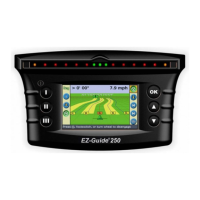
EZ-GUIDE
®
250
LIGHTBAR GUIDANCE SYSTEM
EZ-GUIDE
®
250 LIGHTBAR GUIDANCE
SYSTEM QUICk REFERENCE CARD
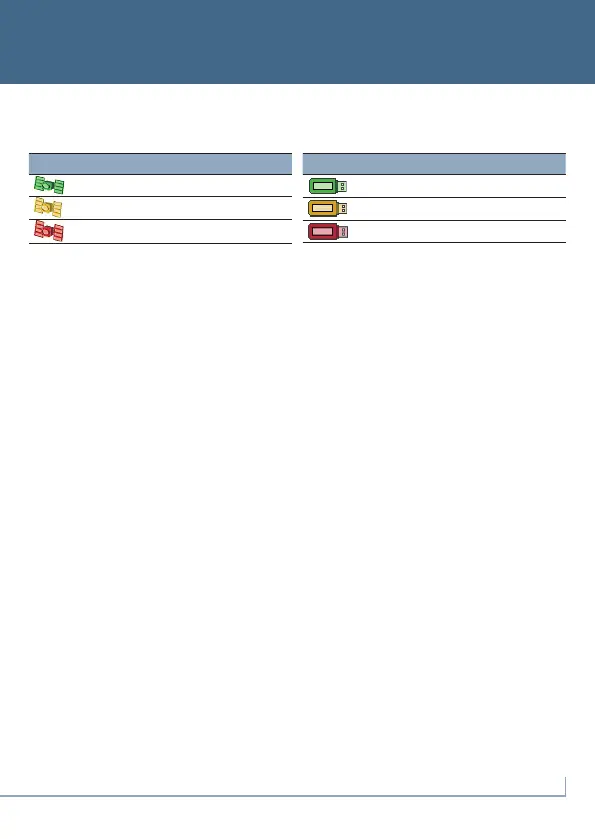
Status Indicators
Onthemainguidancescreen,therearetwostatusindicators:
WhenaUSBdriveisnotconnected,theUSBicondoesnotappear.
Summary Report
Asummaryreportisautomaticallycreatedforeachfield.Thesummaryreportisamulti-pageRTF
documentthatshowsfieldinformationincludingcoverage,eventdata,andfieldinformation.
Thesummaryreportisautomaticallysavedtothelightbarmemory.TocopythisreporttotheUSB
drive, select Configuration / Data Management / Manage Fields / Summary Reports / Send
Summary reports to USB. The summary report is saved to the /AgGPS/Summaries/ directory on
theUSBdrive.
Toviewthesummaryreportonanofficecomputer:
1. InserttheUSBdriveintoanofficecomputer.
2. Selectthe/AgGPS/Summaries/folder.
3. Double-clicktheappropriateRTFfile.
4. Ifyouwanttosavethesummaryreport,copyittoafolderontheofficecomputer.
Note: To view the graphics in the file, you may need to install the Microsoft
®
Word Viewer utility
from the documentation CD.
System Configurations
InAdvancedmode,youcansaveandloadsystemconfigurations.Thisisusefulifyouwantto:
• useexactlythesamesettingsonmultiplelightbars
• changesettingswhenyoumovethelightbarbetweenvehiclesfordifferentapplications
Tosave,loadordeleteasystemconfiguration,selectConfiguration / Data Management /
Save/Load Configurations.
For more information, refer to the EZ-Guide 250 Lightbar Product CD.
Icon GPS status (top left)
Good GPS signal
GPS Signal outside acceptable settings
No GPS signal
Icon USB drive status (lower left)
Connected and ready
Loading
USB disabled
P/N 92020-82-ENG
ZTN 92020-82-ENG
*92020-82*
© 2007–2009. Trimble Navigation Limited. All rights reserved.
Trimble,
Ag
GPS EZ Boom, EZ-Guide, and EZ-Steer are trademarks of
Trimble Navigation Limited, registered in the United States and in
other countries. Autopilot and FreeForm are trademarks of Trimble
Navigation Limited. Microsoft is either a registered trademark or
trademark of Microsoft Corporation in the United States and/or
other countries. Version 2.00, Rev A (February 2009).


 To Previous Page
 Loading...