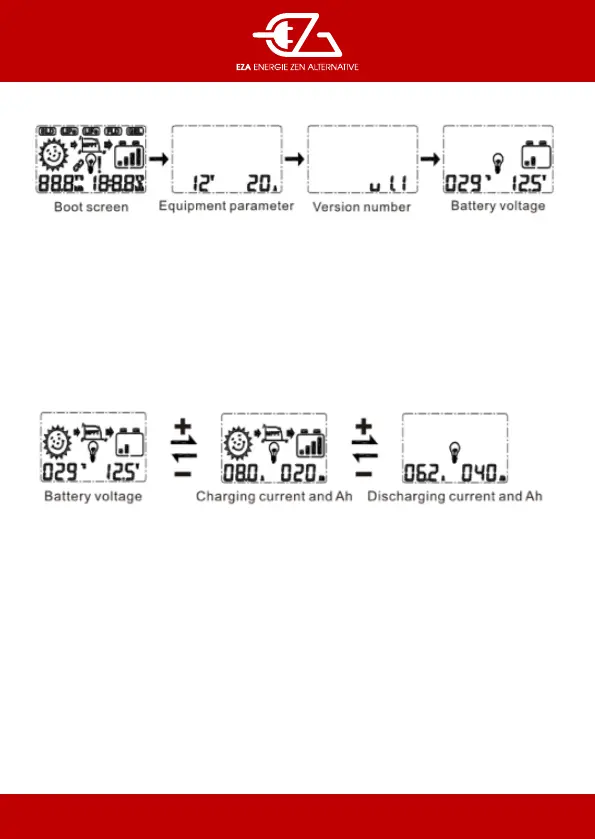
4.3 Boot screen
(1) Starting interface : it is normal to detect LCD when the system is powered on.
(2) Equipment parameter : controller current system voltage and rated current.
(3) Soware revision
(4) Battery voltage interface : Battery voltage and ambient temperature.
Notice : At the rst lever browse interface long press + button to enter the secondary browsing inter-face. It will
automatically exit the secondary browsing interface without doing anything for 15 se-conds.
First-level browsing interface
Ion the main logo loop interface, press the + or - button to enter the browsing mode, and long press the button
+ to enter the secondary browsing interface.


 To Next Page