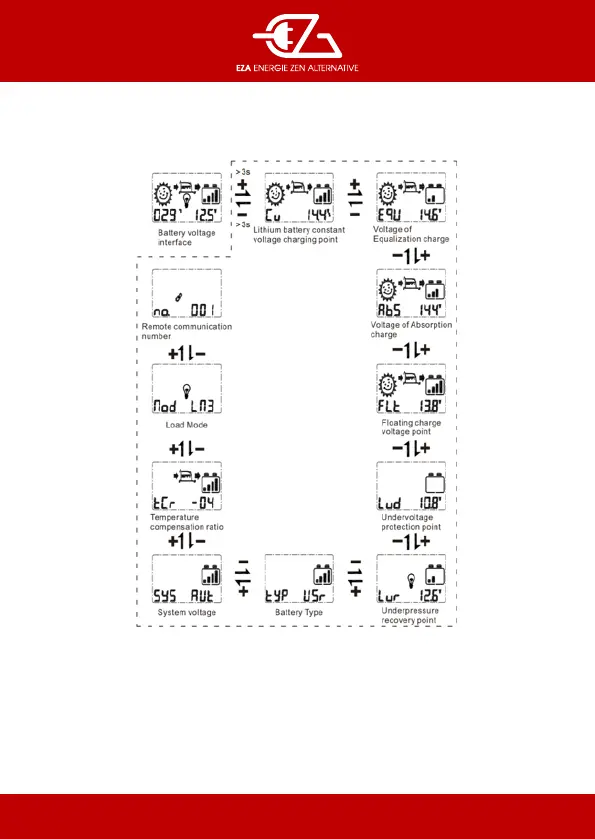
Secondary browsing interface under the condition of battery voltage interface
- Long press the + button in the main loop of the battery voltage interface to enter the secondary browsing
interface,
- short press the + or - button switch to the secondary browsing interface,
- long press the + button to enter the setting interface, short press + or - button to the set the parameters -
and long press + to save.
It will automatically exit the secondary browsing interface without anything for 15 seconds.


 To Next Page